Send entries to other apps
Slack, Teams, Discord, Google Chat, webhooks and email lists — saved first, then sent.
-
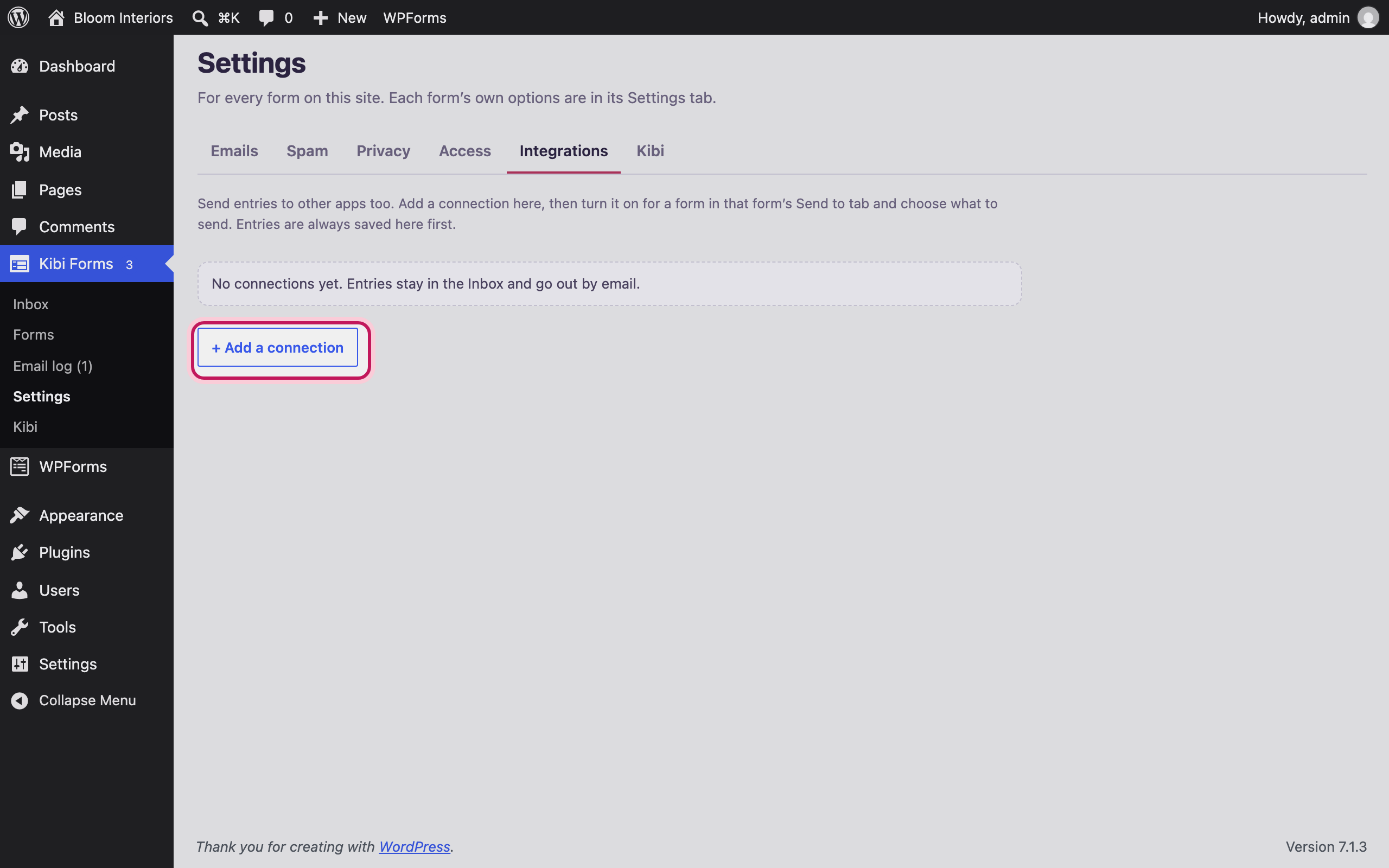
Add a connection
In Kibi Forms → Settings → Integrations, add the apps you use.
-
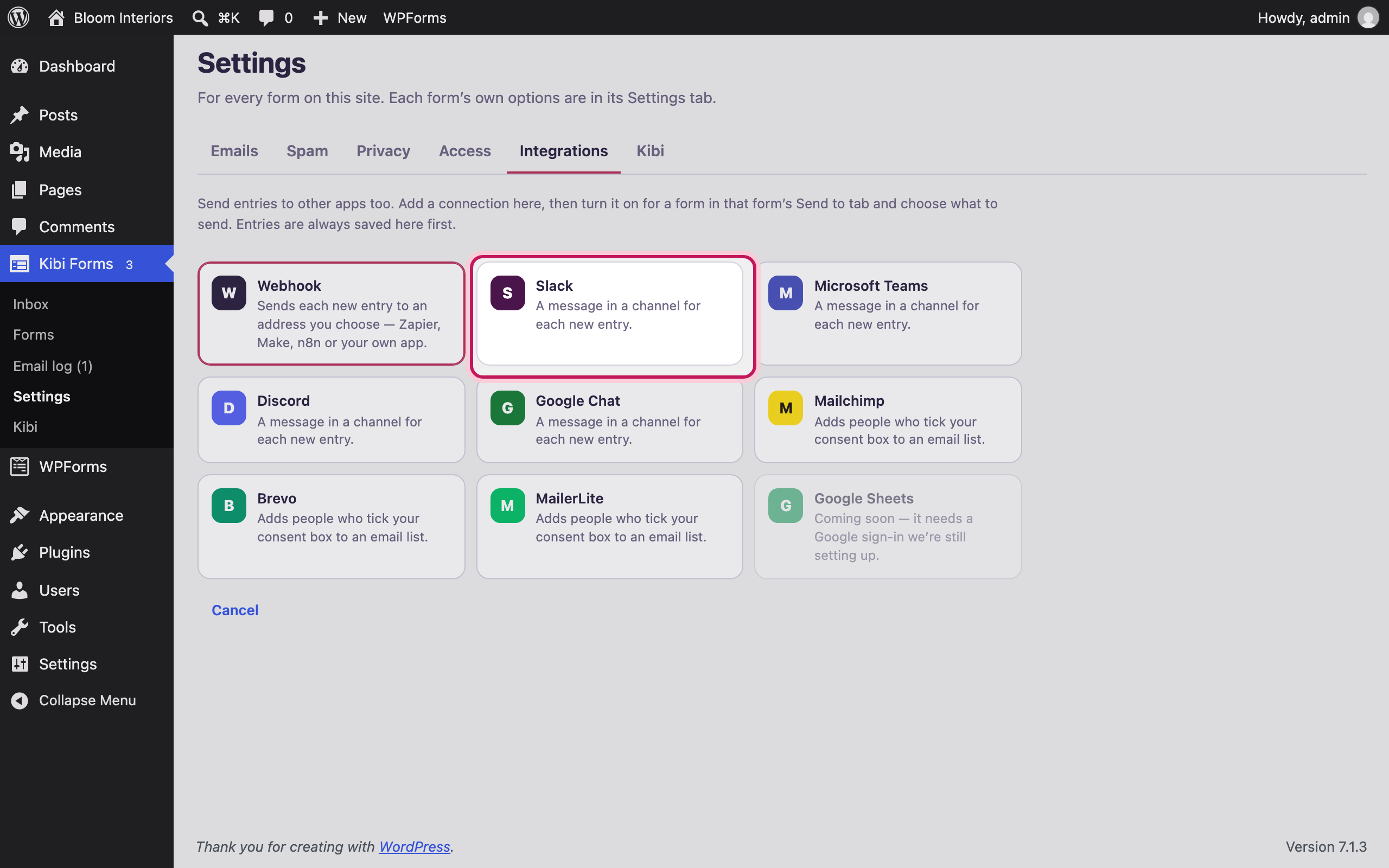
Pick a service
Webhooks (Zapier, Make, n8n), Slack, Microsoft Teams, Discord, Google Chat, Mailchimp, Brevo or MailerLite.
-
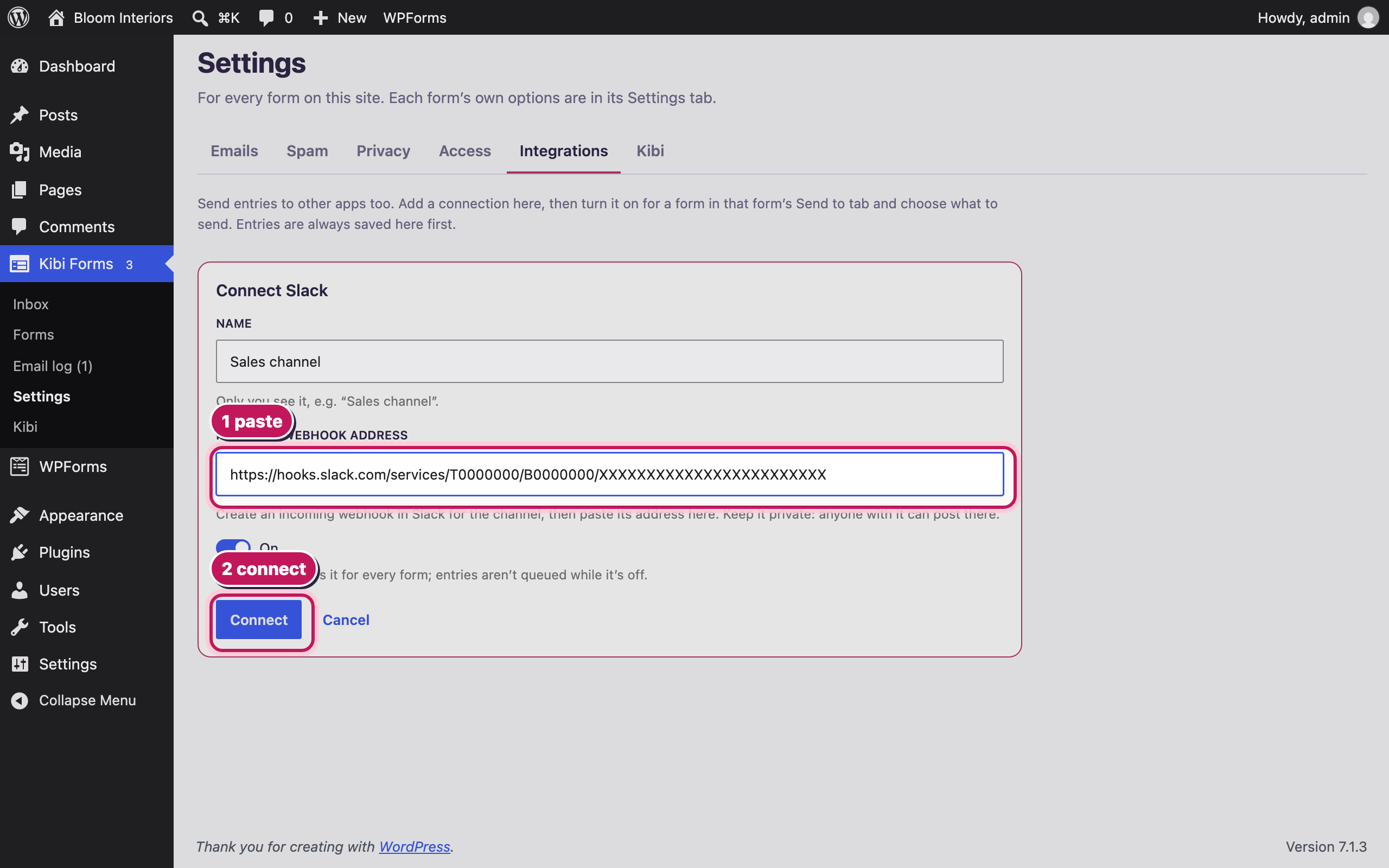
Paste its address
Each service needs one thing from you — here, the Slack channel’s incoming-webhook address. It’s stored encrypted.
-
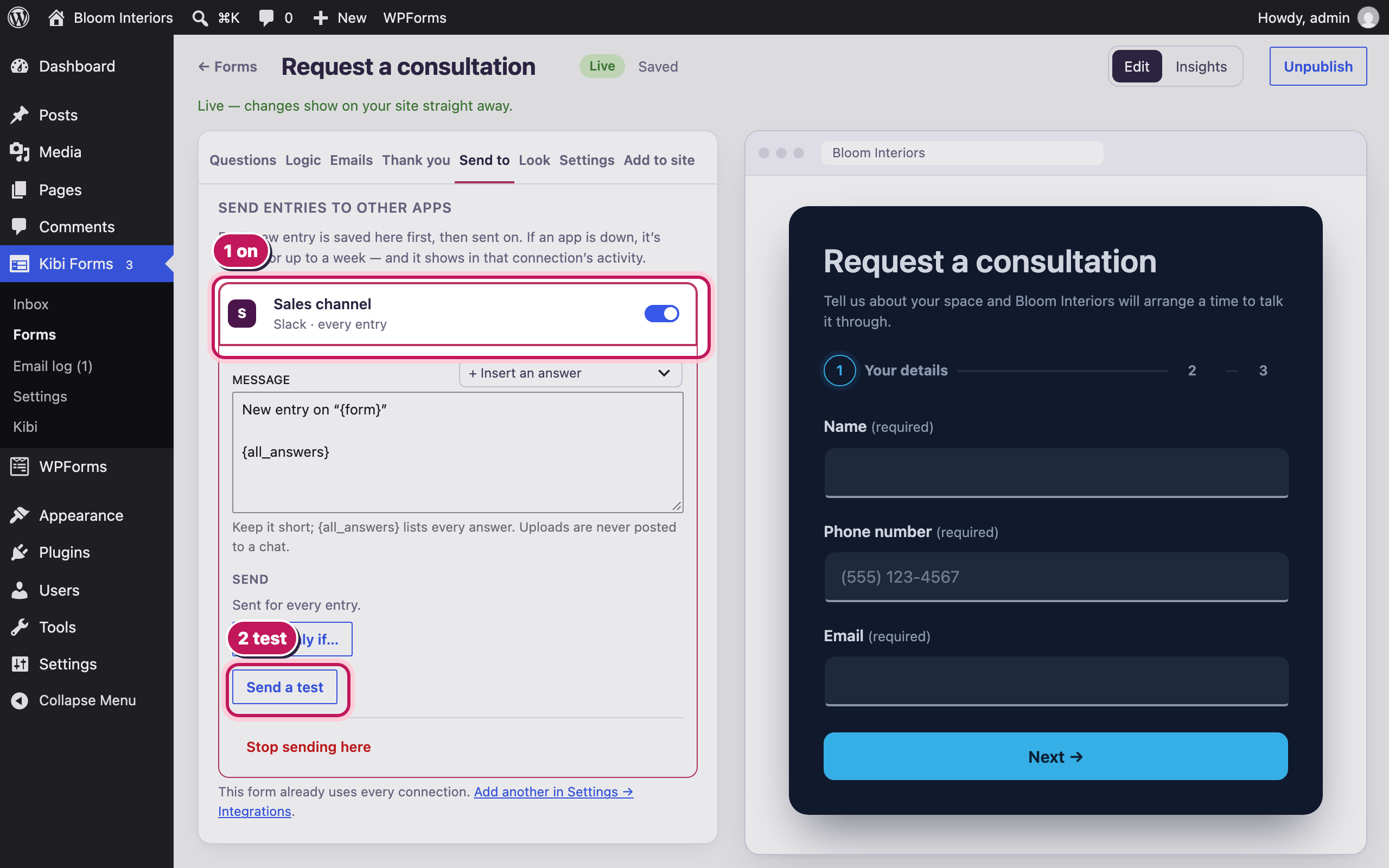
Turn it on for a form
In the form’s “Send to” tab, choose the connection. Set the message, add a rule if you only want some entries, and send a test.
Bloom Interiors and the people shown are fictional demo details. Open any screenshot to view it full size in a new tab.