Framer forms.
Made to fit.
A Framer form builder for the site you’ve carefully made. Drop in a finished section, make it yours and give every enquiry somewhere to go.
Designs, styling and fields: no Kibi account needed.
Connect to Kibi CRM when you need a team follow-up.
Your colours.
Your form.
Finished forms.
Room for your touch.
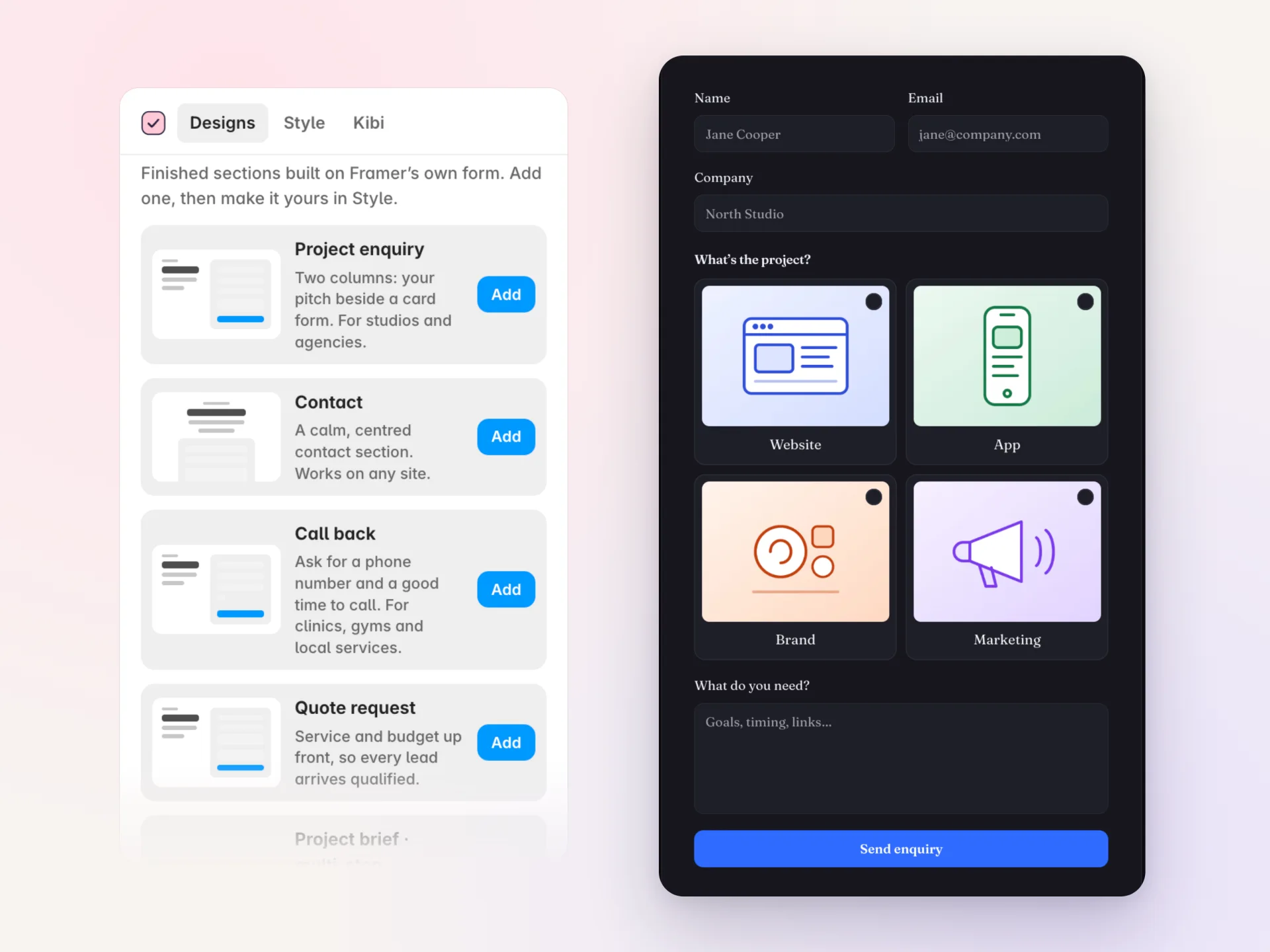
A contact form for the quick hello. A project brief for the bigger conversation. Twelve designed sections built on Framer’s own Form, ready to edit on your canvas.
Add your first design →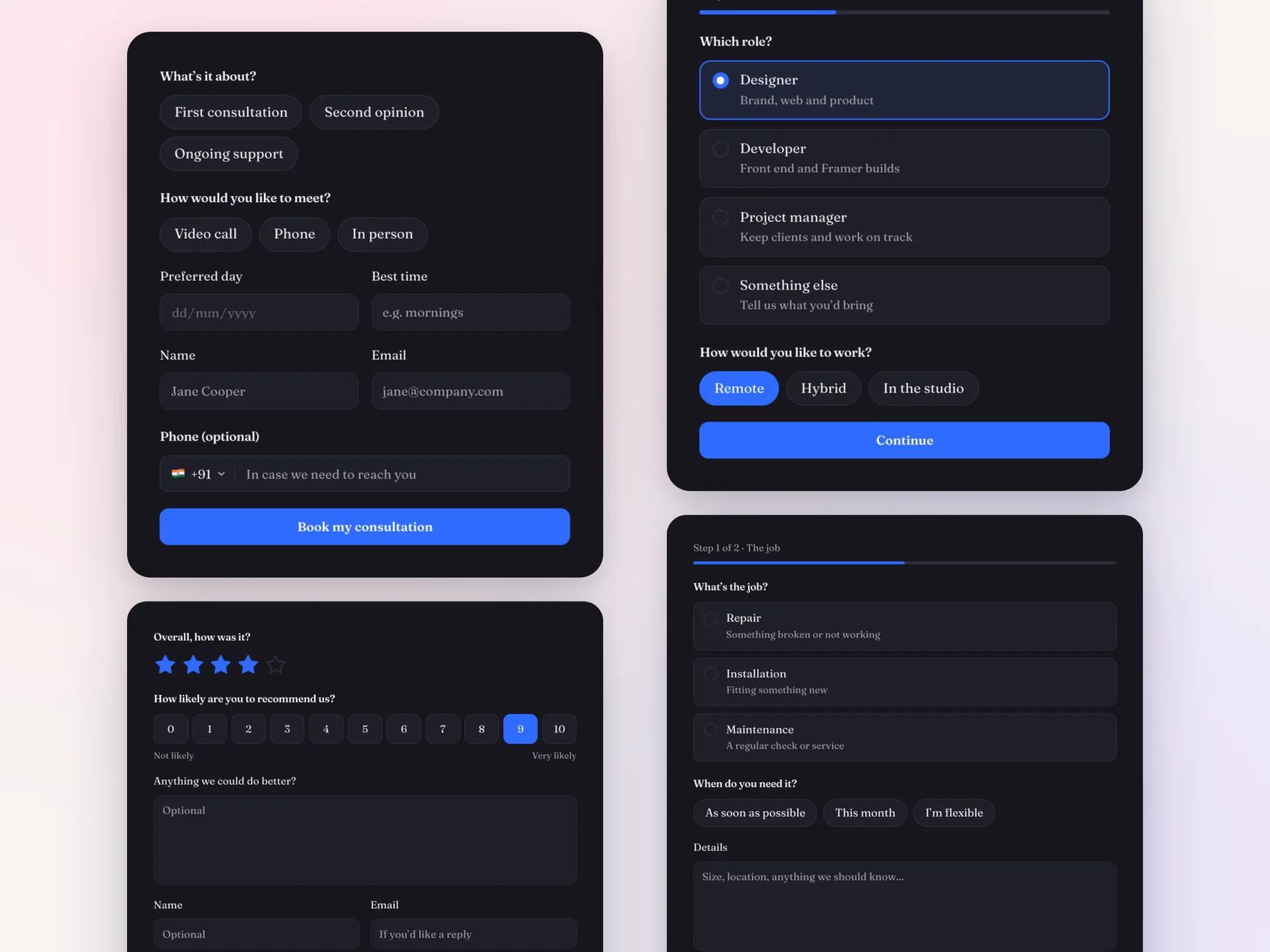
Your site has a style.
Your form should too.
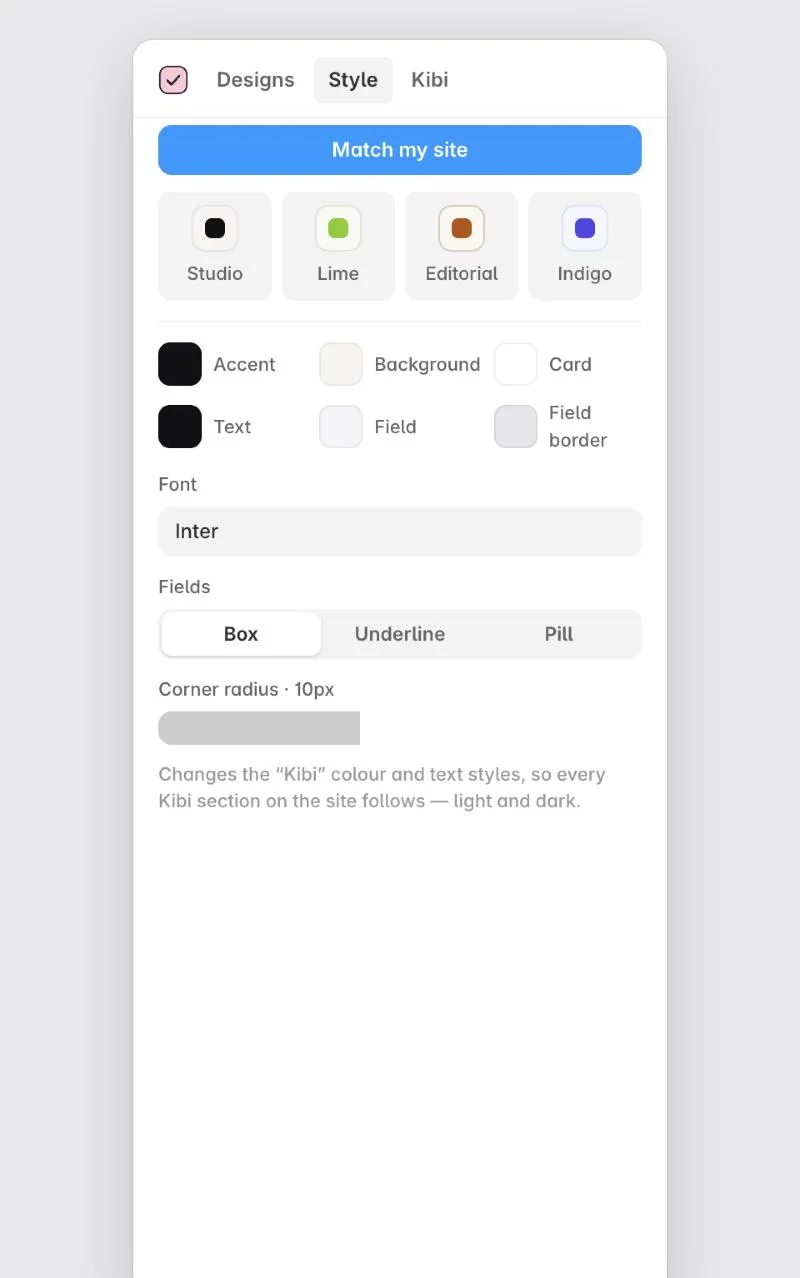
Set the colours, font and field shape once. The Style tab updates every Kibi form through Framer’s colour and text styles. Or start with Match my site.
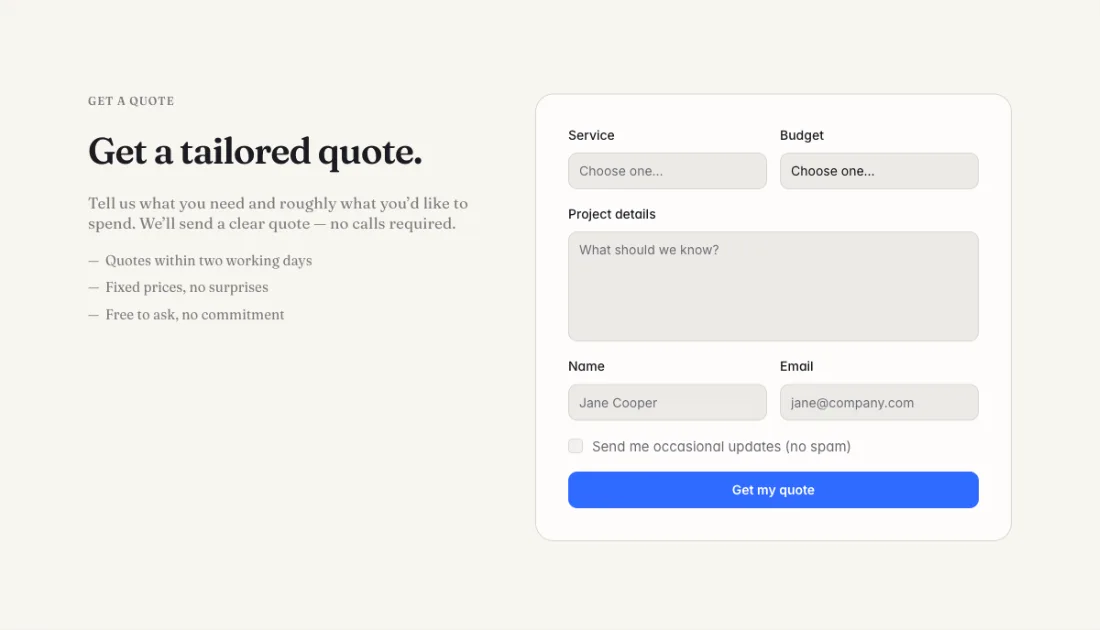
Keep the native layers. Refine the layout. Choose light or dark without rebuilding the questions.
See a light-theme example
More ways
to get the answer.
Add a phone number field with country, let someone choose a picture, or ask for a rating. Put Kibi fields into a new design or a Framer form you already built.
Add a field to your form →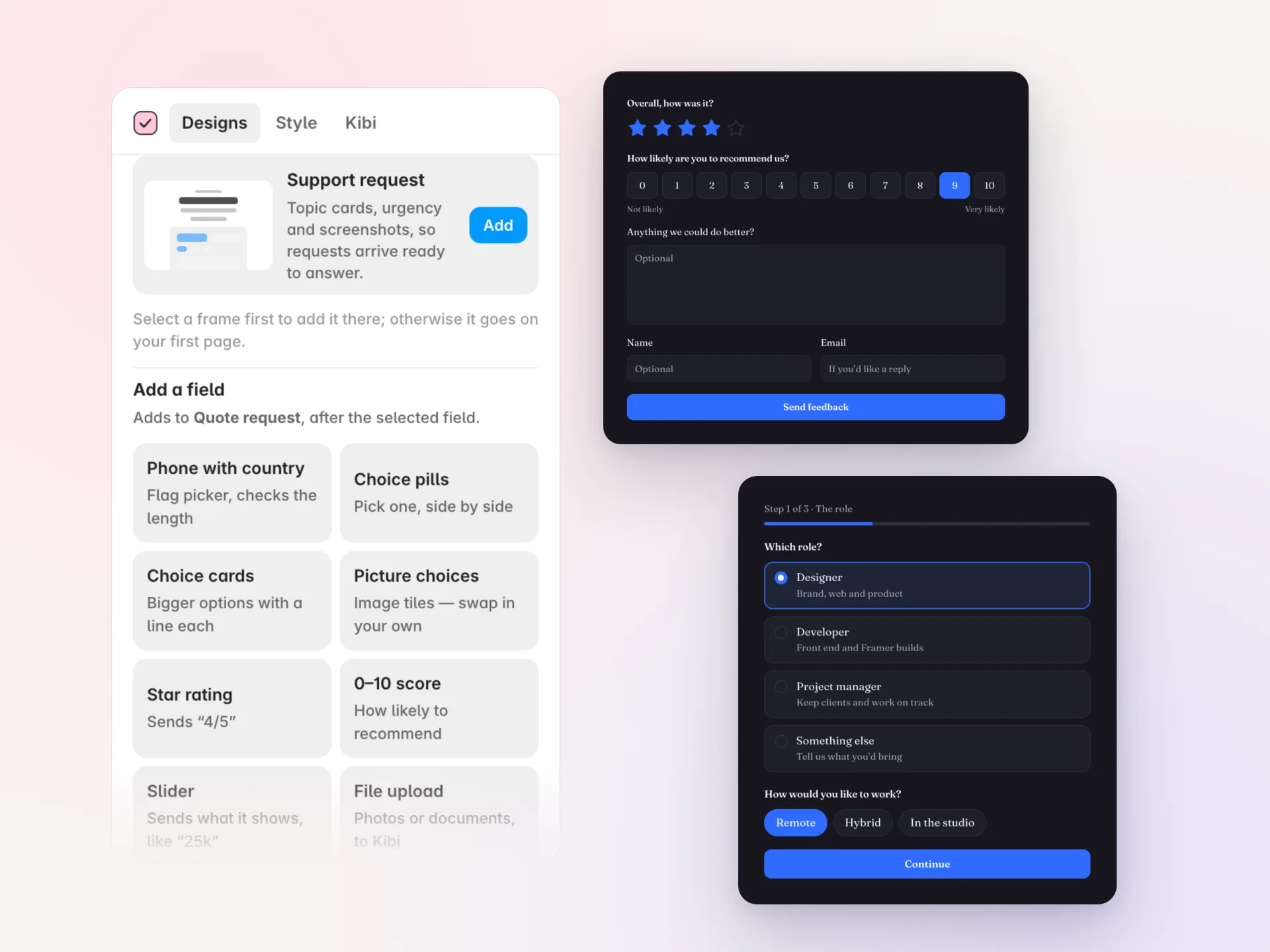
- 01Phone with country
- 02Choice pills
- 03Choice cards
- 04Picture choices
- 05Star rating
- 060–10 score
- 07Slider
- 08File upload
A longer form.
A lighter journey.
Break your Framer form into steps with progress and Back. Show or skip a step—or a single question—based on the answer before it.
For the last one-answer choice in a step, Go on: On pick can move the visitor forward without another click.
Connected multi-step forms can save a lead once an email or phone is entered. The final send completes the same enquiry.
Build steps and conditional questions →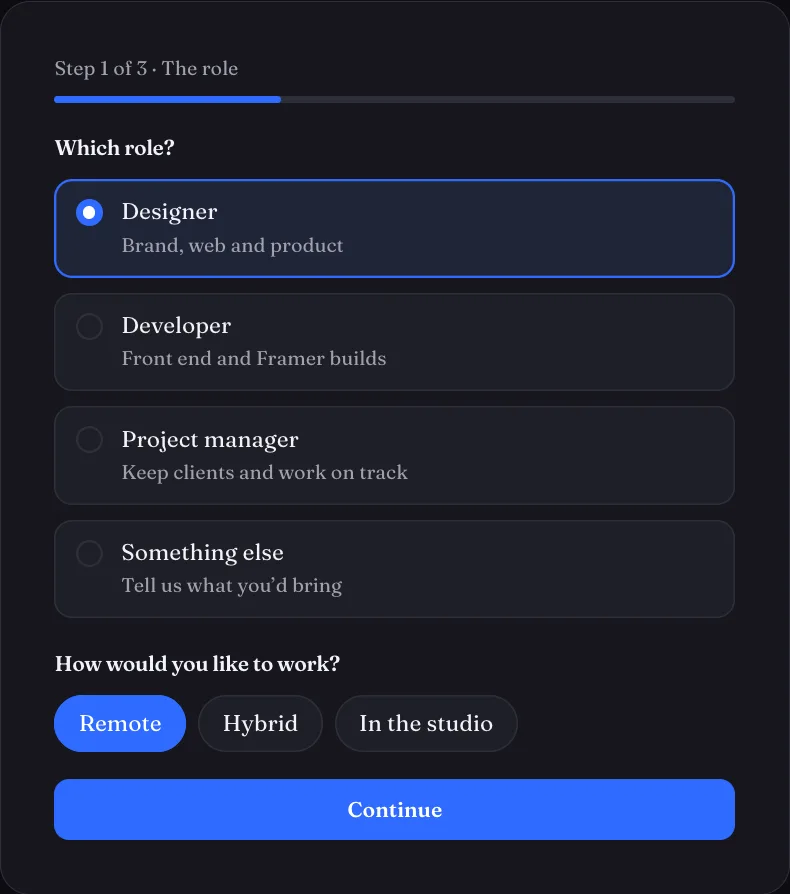
Saved first.
Then “thank you”.
Kibi Send takes the entry straight from your visitor’s browser to Kibi. The thank-you waits for the save. Two automatic retries handle a dropped connection; if sending still fails, the form says so.
No Framer Send To setup is needed. With Kibi Send as the only destination, it does not use your Framer form submissions.
Connect and send a test entry →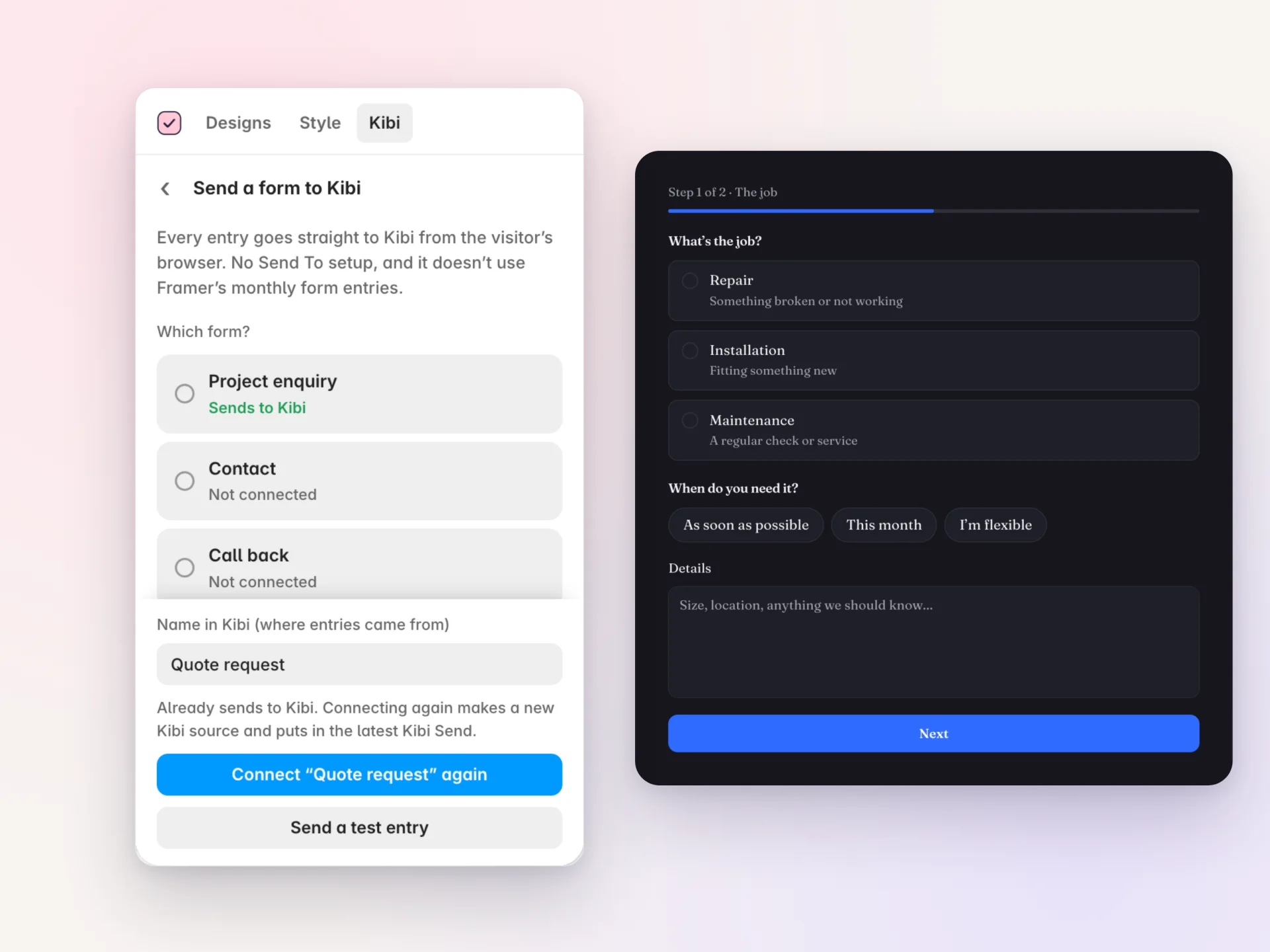
Kibi connection requires an account. If you also use Framer’s Send To, Framer handles that separate copy as usual.
The photo. The CV.
The whole enquiry.
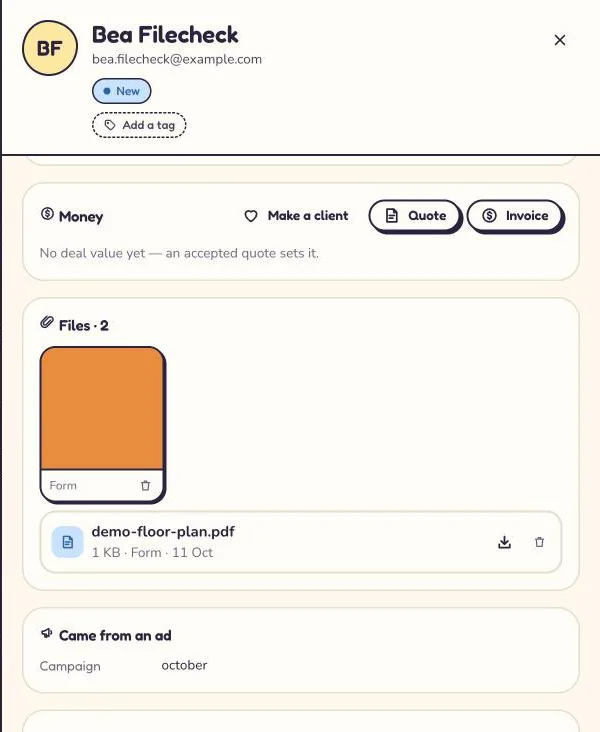
Take file uploads on a Framer form and find the attachments on the Kibi enquiry, named after the question they answered. Files upload as they’re picked.
Images and documents only: JPEG, PNG, WebP, GIF, HEIC, PDF, Word, Excel, CSV and plain text. Content is checked. No SVG, HTML, scripts, archives or programs. Files count towards Kibi plan storage.
Set up file uploads →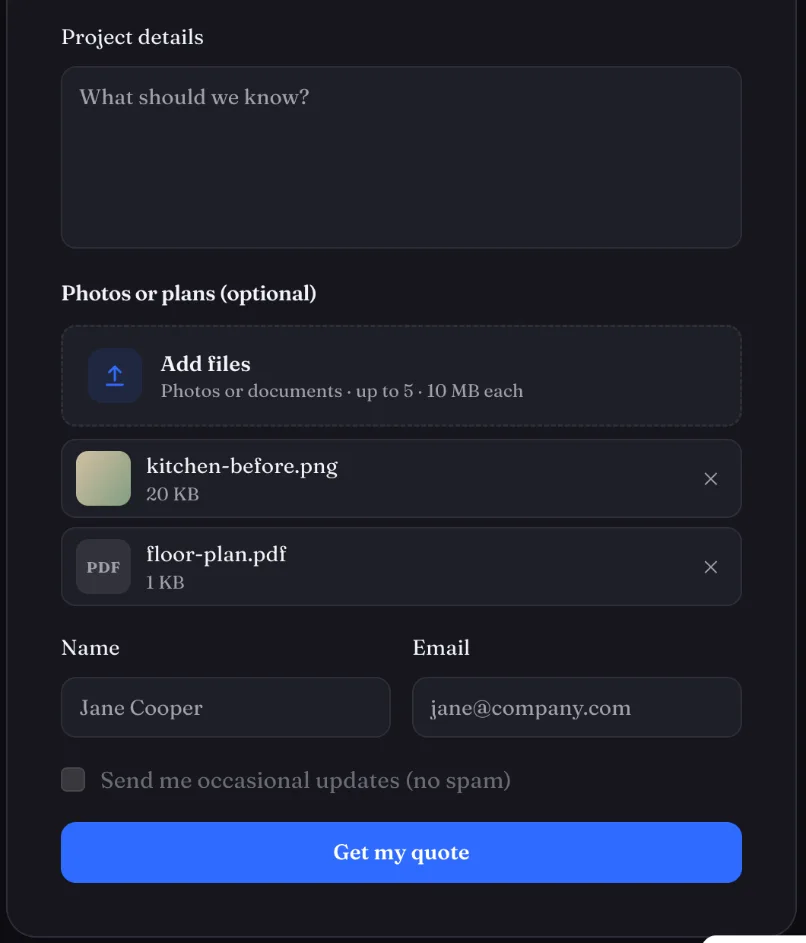
See where the files arrive
Make it easy
to finish.
Useful forms do more than collect a name. Give visitors a clear next step, keep their work through a reload and preserve the context your team needs.
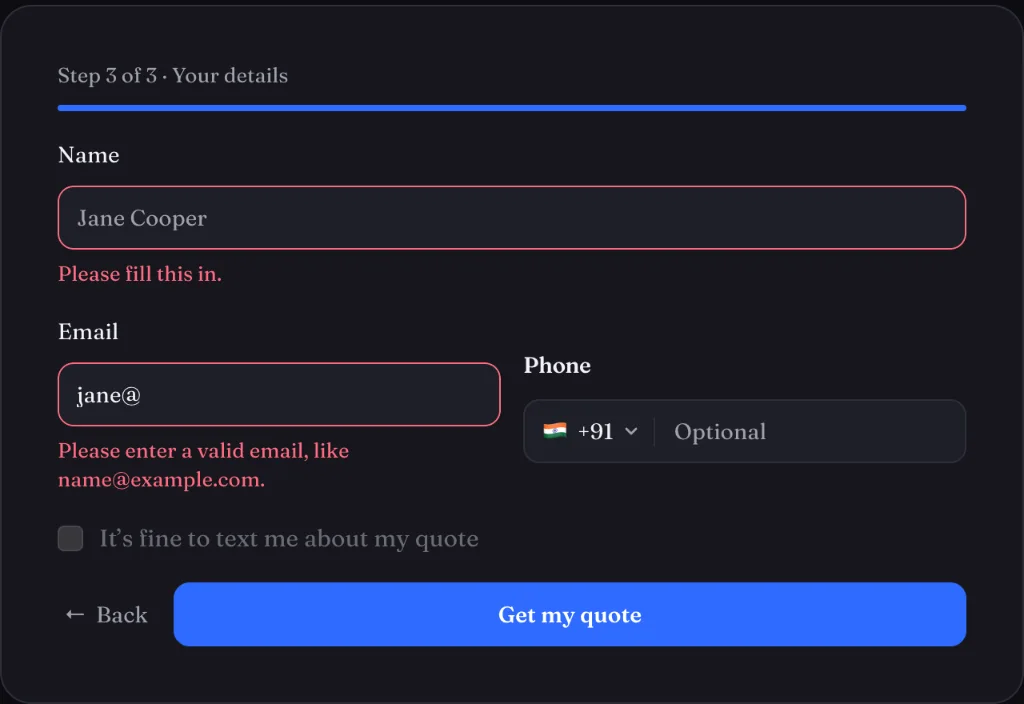
Errors beside the question
Inline messages help visitors correct the answer where they entered it, without a browser pop-up.
A reload needn’t mean a restart
Answers stay on the visitor’s device for up to 7 days and are deleted when sent. Tracking tags and secret-looking values are not kept.
A useful head start
Links can pre-fill fields such as ?email=. Use this carefully and avoid placing sensitive information in URLs.
Know where the enquiry began
Kibi records UTM tags, Google and Meta click IDs, the submitted page without its query string, and the referrer.
Framer’s hidden spam-trap fields are respected, and Kibi’s honeypot is supported.
A good form starts
a conversation.
Give the enquiry an owner, alerts and a next action in Today. Keep the brief, files and follow-up together when more than one person handles new business.
Start a free trial of Kibi →The plugin is free. No Kibi account is needed to add designs, style forms or add fields. Sending entries and files to Kibi requires a Kibi account; CRM plans apply.
From canvas
to first enquiry.
Add a design. Make it yours. Connect and send a test entry, then publish. Seven illustrated guides walk through the details.
All Framer Forms guides →Add a design and make it yours
Build a Framer contact form, project brief or quote request from a finished native section, then match it to your site.
See the steps →02 / HOW IT WORKSAdd Kibi fields to any Framer form
Add a phone number field with country, picture choices, ratings or a file upload to a form you already designed.
See the steps →03 / HOW IT WORKSBuild a Framer multi-step form with logic
Split a longer form into steps, show relevant questions and let a one-answer choice move the visitor forward.
See the steps →Is Kibi Forms for Framer free?
Yes. The plugin is free. Add designs, style forms and add fields without a Kibi account. Sending entries and files to Kibi requires a Kibi account; CRM plans apply.
Is it on the Framer Marketplace yet?
Not yet. The plugin is packaged and awaiting submission and review. This page shows real product captures; the Marketplace link will appear when the listing is live.
Does it use my Framer form submissions?
Not when Kibi Send is the form’s only destination: entries go from the visitor’s browser to Kibi. If you also set Framer’s own Send To, Framer handles that copy as usual.
Can I use a form I already built in Framer?
Yes. Select the form and send it to Kibi from the plugin. You can also add Kibi fields to it. Kibi reads each field by its name.
Will the forms match my site?
Designs use Framer colour and text styles named Kibi /…. Use the Style tab or Match my site to restyle all Kibi forms together, in light or dark.
What if the visitor loses their connection?
Kibi Send retries twice. If it still cannot reach Kibi, a message appears under the button. The entry is not shown as sent when it was not saved.
Where are unfinished answers kept?
On the visitor’s own device for up to 7 days, then deleted when sent. Tracking tags and secret-looking values are not kept. Connected multi-step forms can also save progress to Kibi once an email or phone is entered.
Make the next hello
a little more useful.
Free form designs and fields. A clear path to follow-up.