Fix common Framer form connection problems
Check missing entries, failed uploads, duplicate enquiries and field names without guessing what happened.
Free plugin · Coming to the Framer Marketplace. These are real captures of the packaged product. Kibi account required for entries and files sent to Kibi.
The form cannot take files
If you see “This form isn’t connected to Kibi yet, so it can’t take files”, send the form to Kibi first using the Kibi tab.
Entries are not arriving
Use Send a test entry in the plugin to check the connection before publishing. After connecting, publish the Framer site so visitors use the connected version.
An upload or send failed
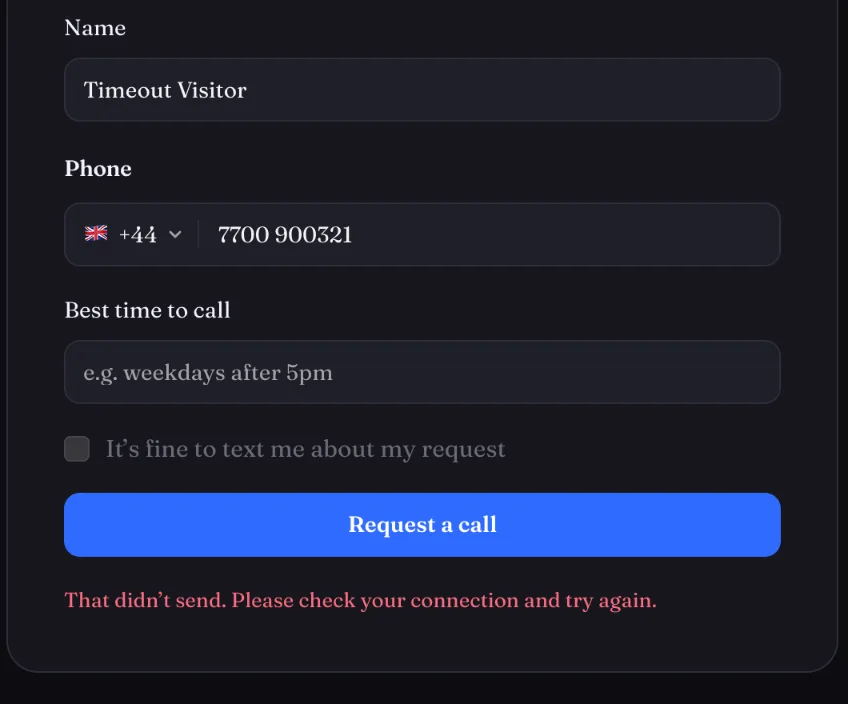
“Upload failed — check your connection” means the visitor’s connection dropped. Retry is on the file’s row. Kibi Send retries twice and shows a visible message if the entry still cannot reach Kibi.
An enquiry arrives twice
Check Framer’s own Send To. If that also points to Kibi, use either it or Kibi Send, not both. The Kibi source page explains this under Advanced.
An answer has an unexpected name
Kibi reads the field name from Framer’s right panel. Rename it there and match it to the appropriate Kibi field on the source page in Kibi.
Screens show the real plugin and published test forms with illustrative details. Open a screenshot to view it full size in a new tab.