Take file uploads on a Framer form
Let visitors attach photos and documents, then find them on the Kibi enquiry under the question they answered.
Free plugin · Coming to the Framer Marketplace. These are real captures of the packaged product. Kibi account required for entries and files sent to Kibi.
Add a File upload question
Choose File upload from Add a field, or start with Quote request, Job application or Support request. Name the question clearly so the attachment has context.
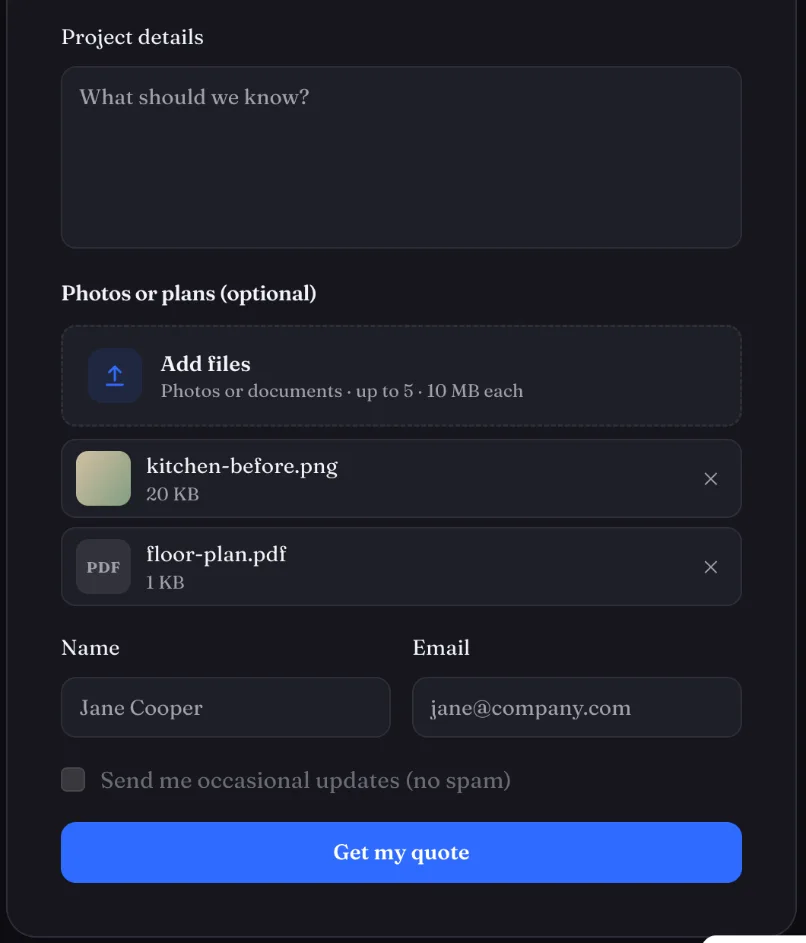
Connect the form before testing
Send the form to Kibi from the plugin. Files upload as visitors pick them; a form that is not connected to Kibi cannot take files. Try a sample image and document.
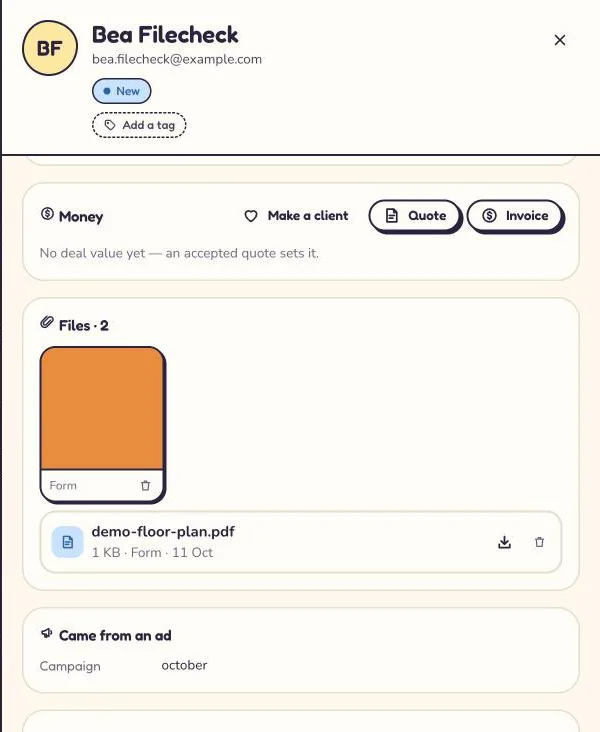
Check the files on the enquiry
Open the enquiry in Kibi. Attachments arrive named after their question. The limits are 10 MB per file, up to 5 files per question by default and 25 MB per entry. Files count towards your Kibi plan’s storage.
Explain what visitors can upload
Supported files are JPEG, PNG, WebP, GIF and HEIC images, plus PDF, Word, Excel, CSV and plain text documents. Content is checked. SVG, HTML, scripts, archives and programs are not accepted.
Screens show the real plugin and published test forms with illustrative details. Open a screenshot to view it full size in a new tab.