Put your form on a page
One click, the Kibi Form block, or a shortcode.
-
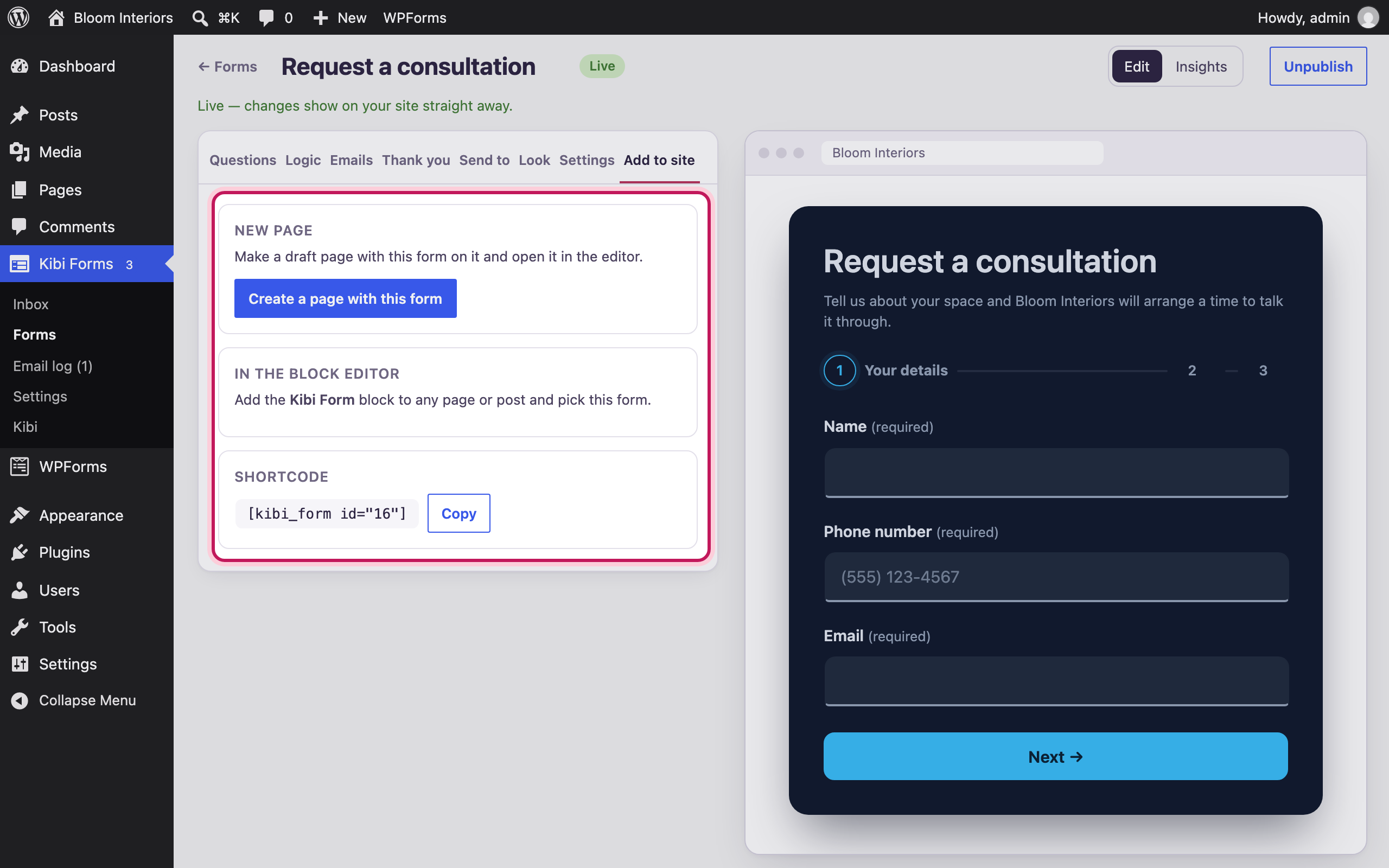
Two ways to add a form
From the form’s “Add to site” tab, put it on a new page in one click — or add it to any page with the Kibi Form block or the shortcode.
-
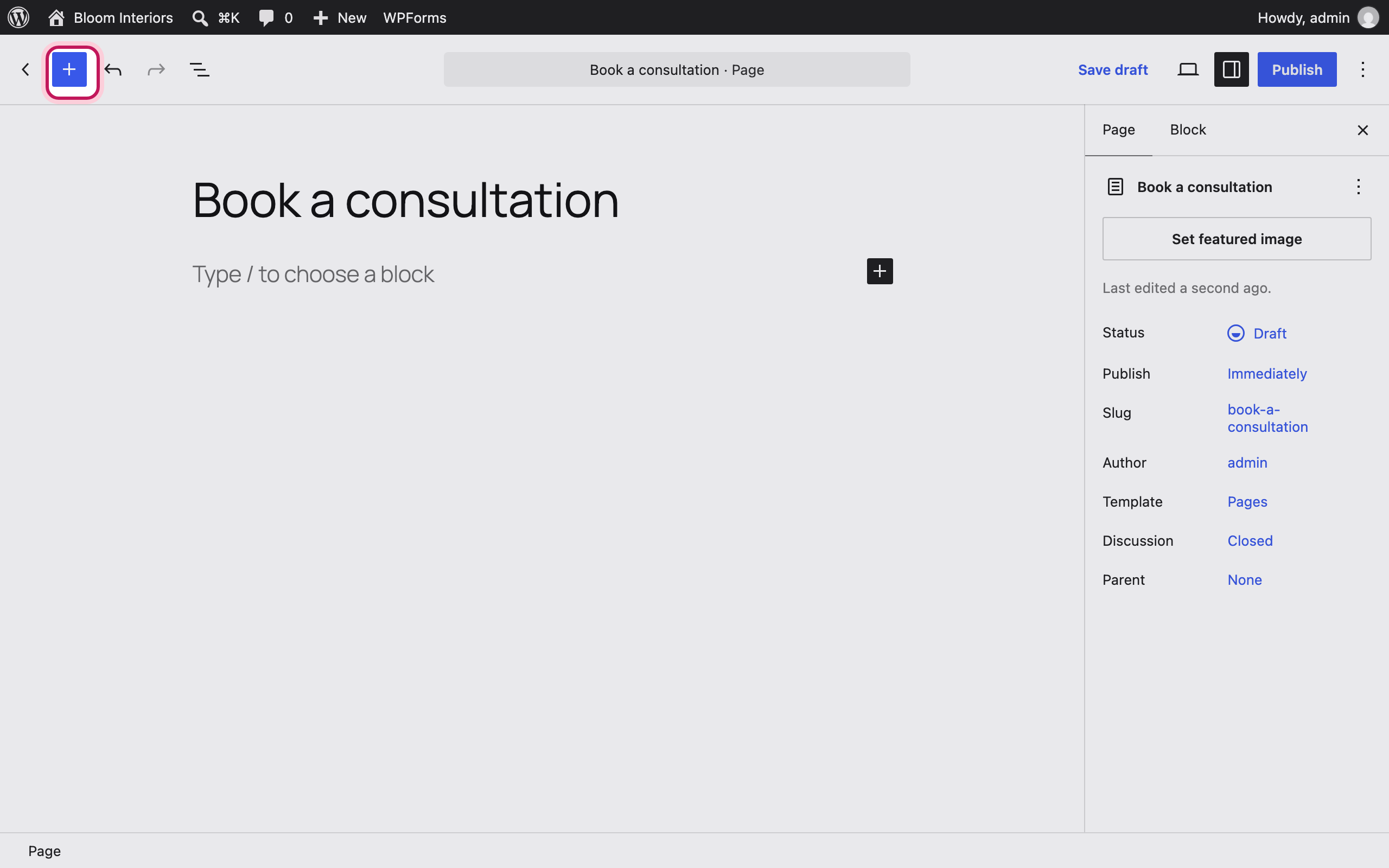
Open the block inserter
Editing any page or post, click + to add a block.
-
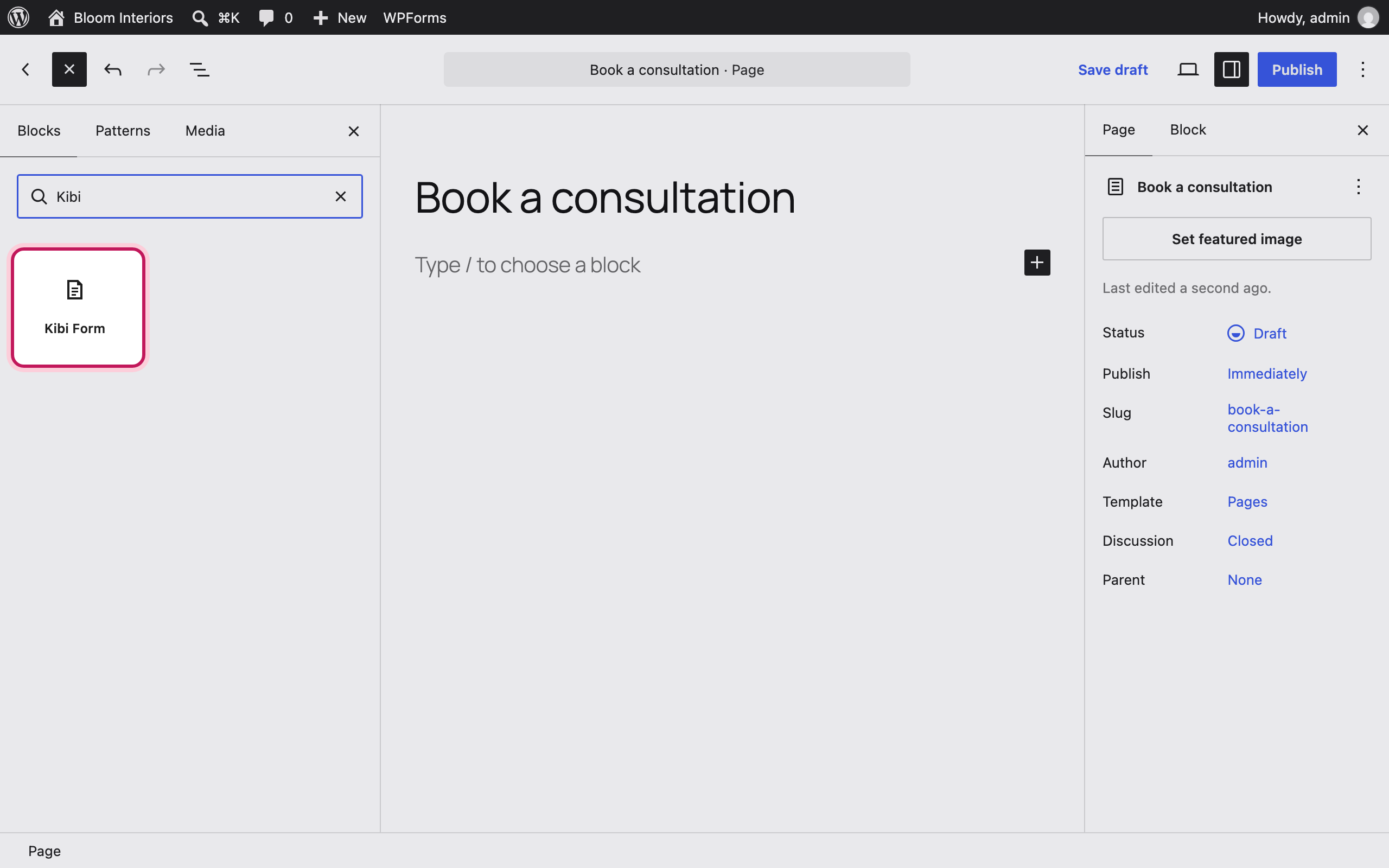
Find “Kibi Form”
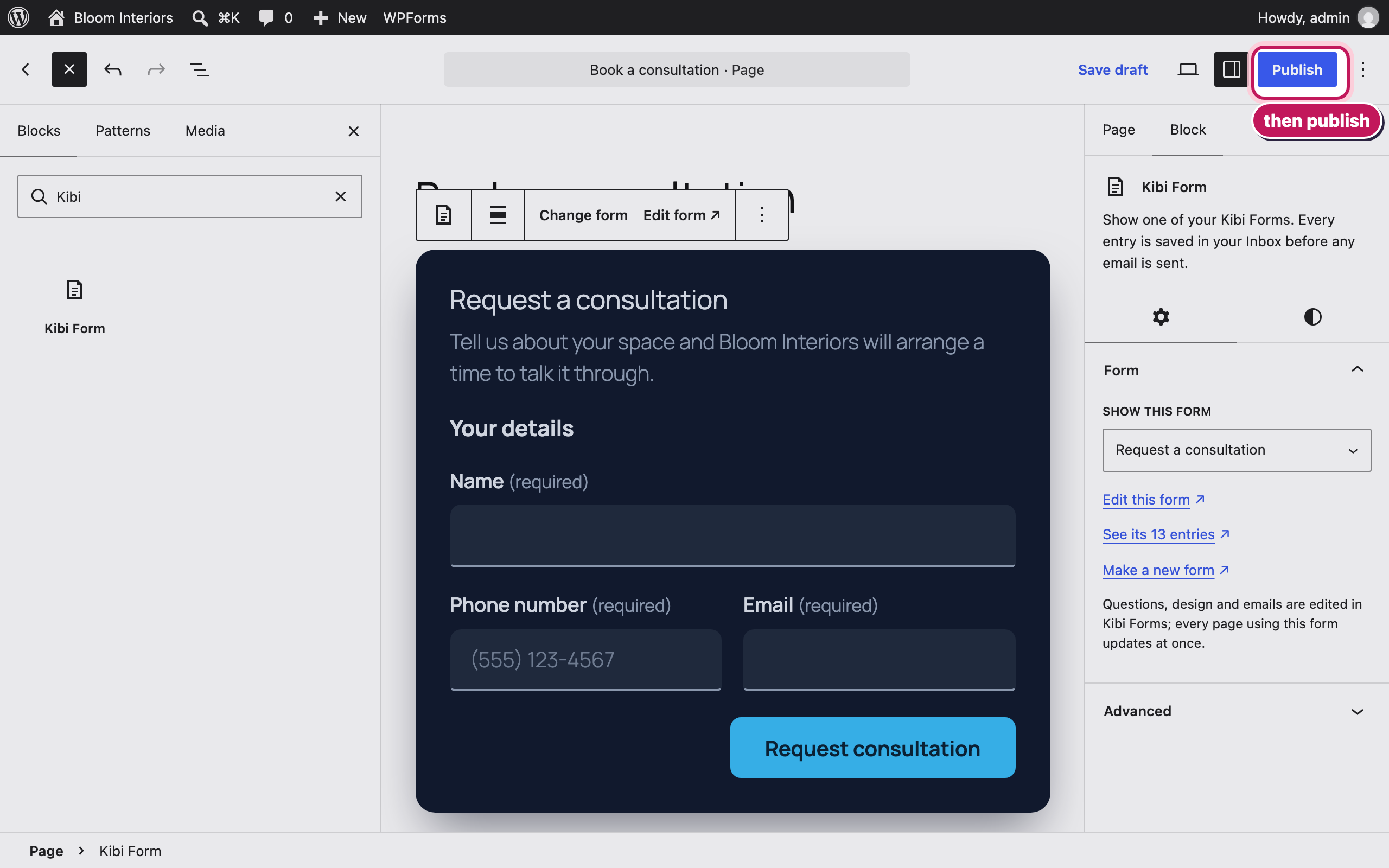
Search for “Kibi” and choose the Kibi Form block.
-
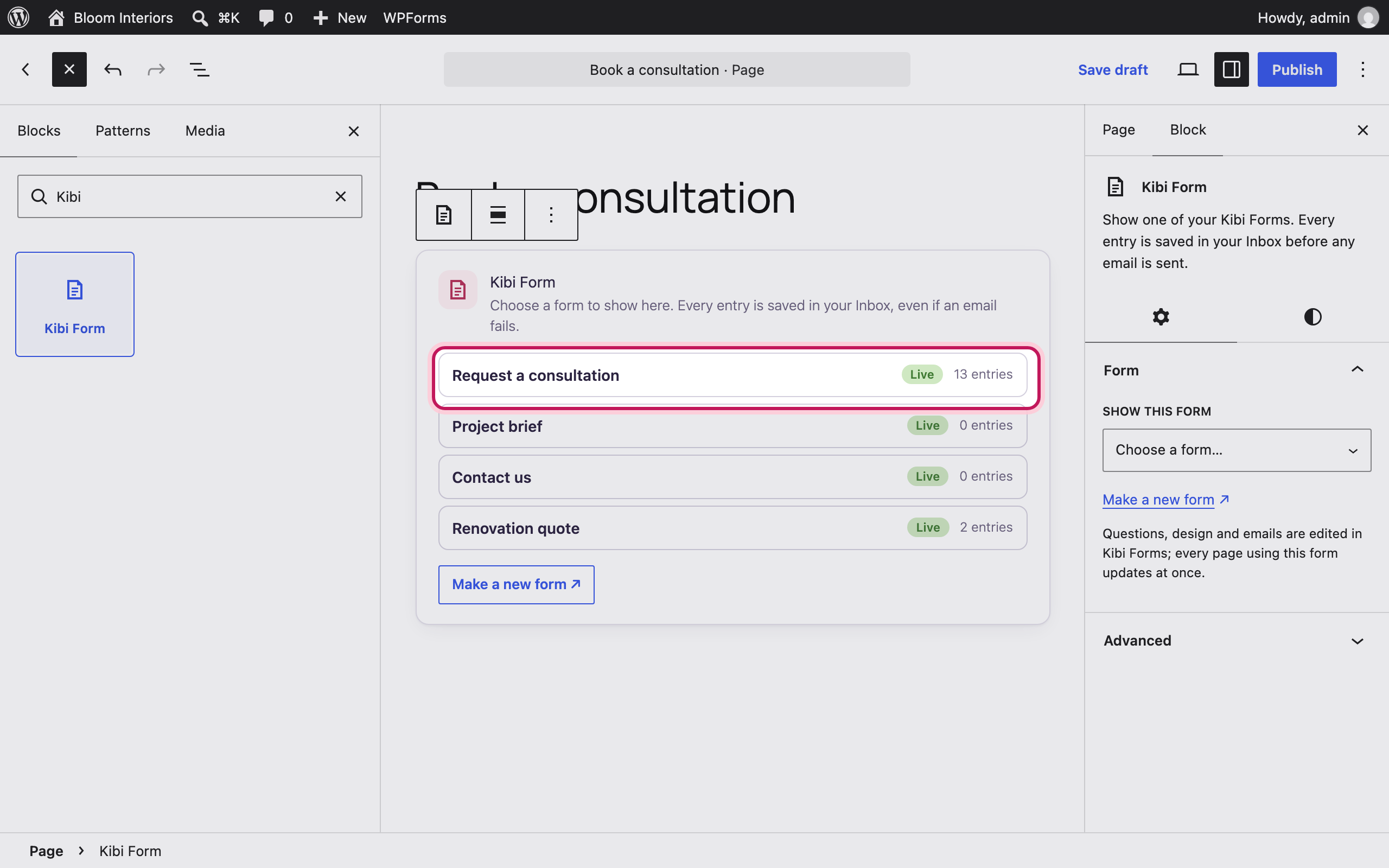
Choose the form
The block lists your forms. Pick one — drafts are marked, so you know what visitors will see.
-
See it in place
The form shows in the editor exactly as visitors will see it. Change which form, or open it in Kibi Forms, from the sidebar.
-
Live on your site
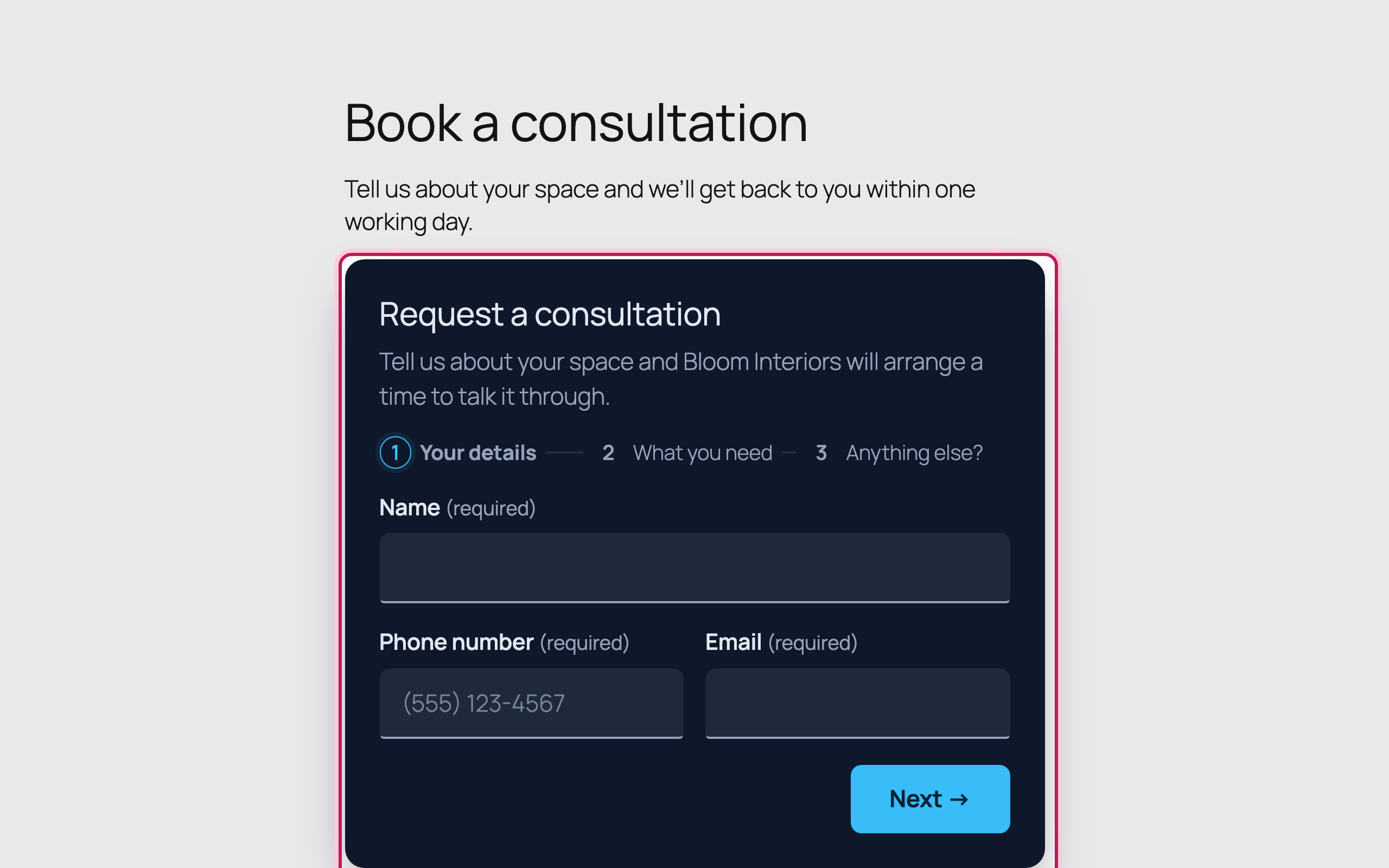
Publish the page and the form is live — in your chosen design, on phones and computers, even without JavaScript.
Bloom Interiors and the people shown are fictional demo details. Open any screenshot to view it full size in a new tab.