Change questions, logic and emails
Everything about a form is in one place, with a preview that is the real form.
-
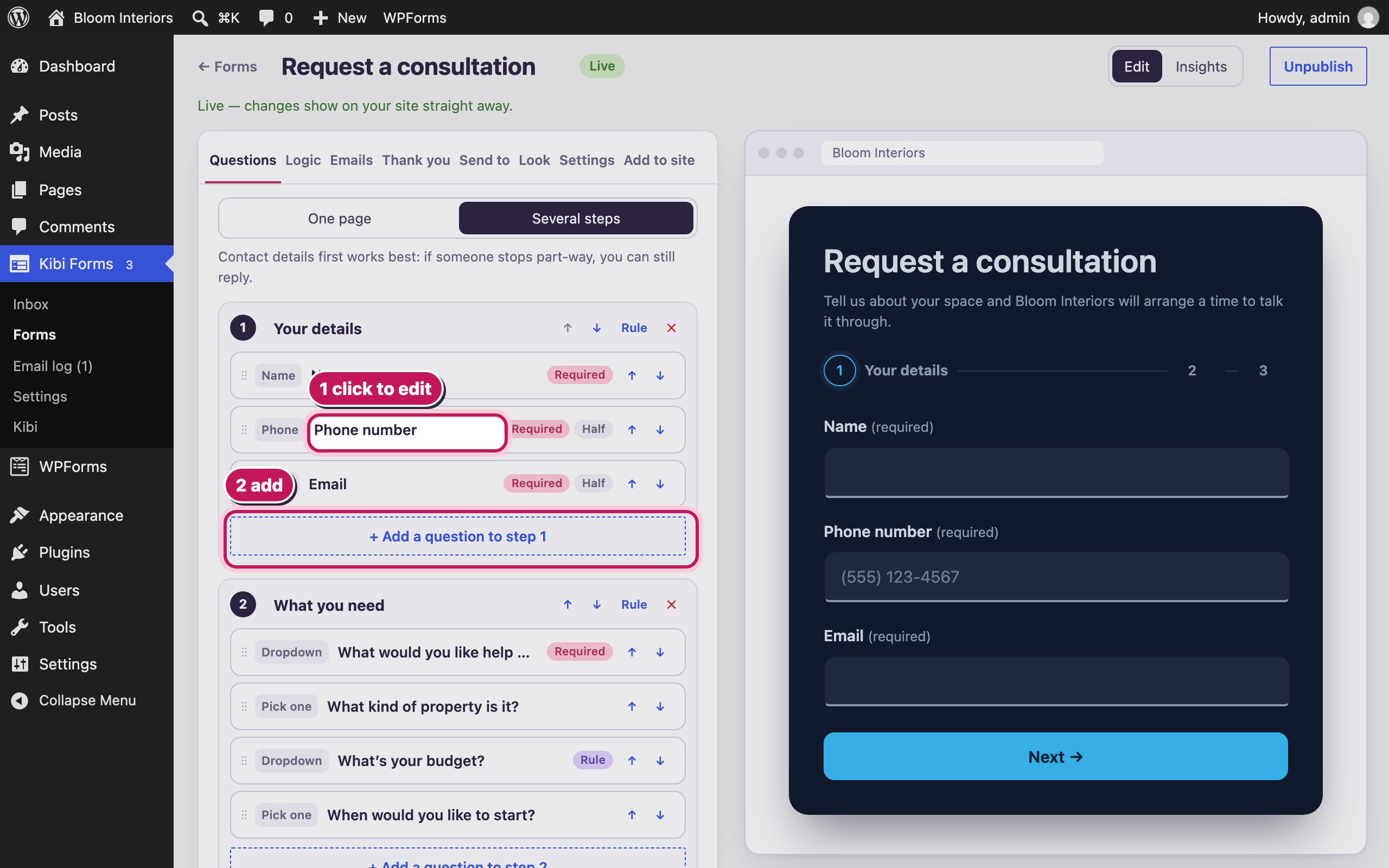
Change any question
Click a question to change its wording, make it required, or put two side by side. Drag to reorder, or use Alt + ↑ / ↓.
-
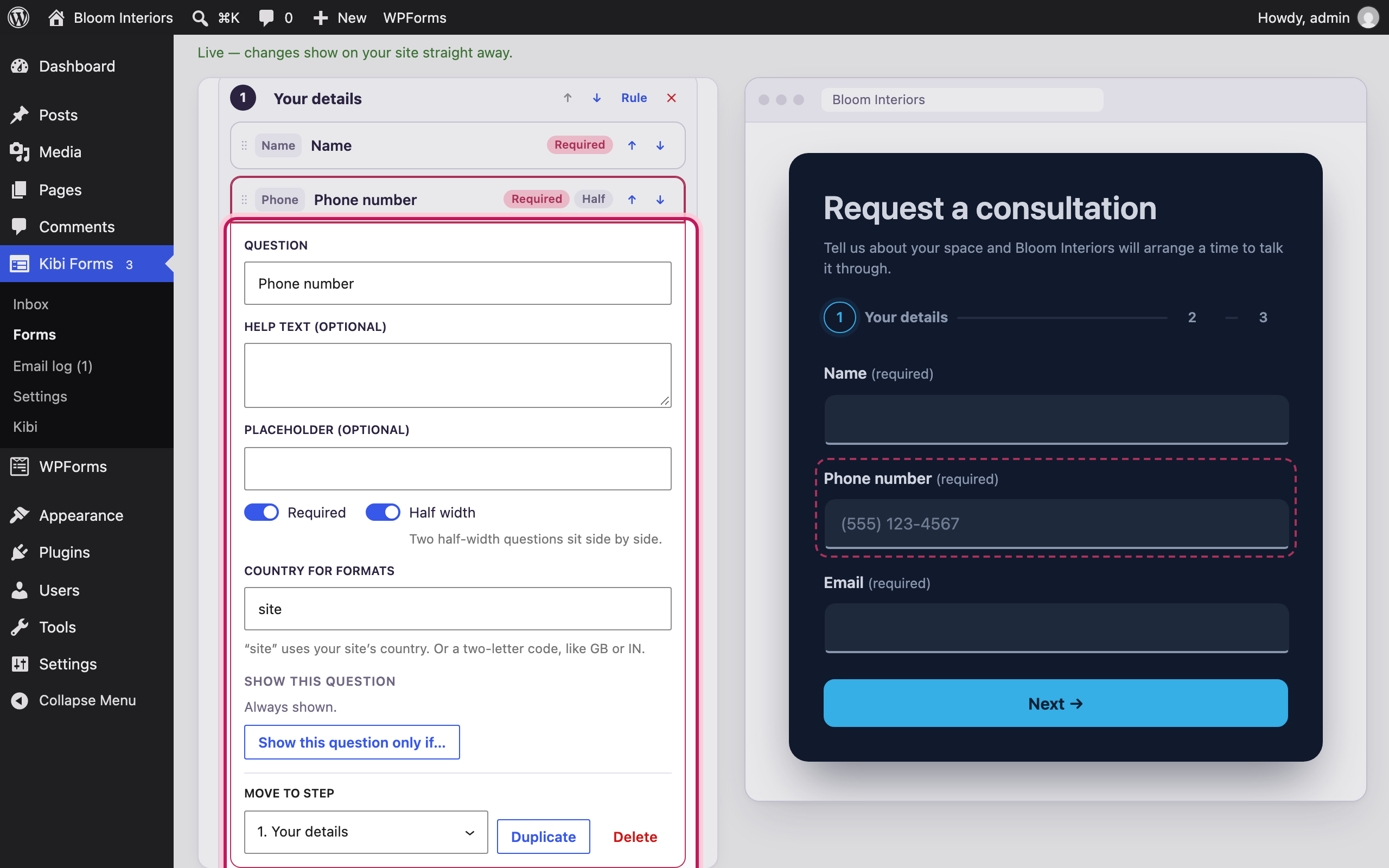
Question settings
Change the label, help text and placeholder, make it required, or set it to half width. The preview on the right updates as you type.
-
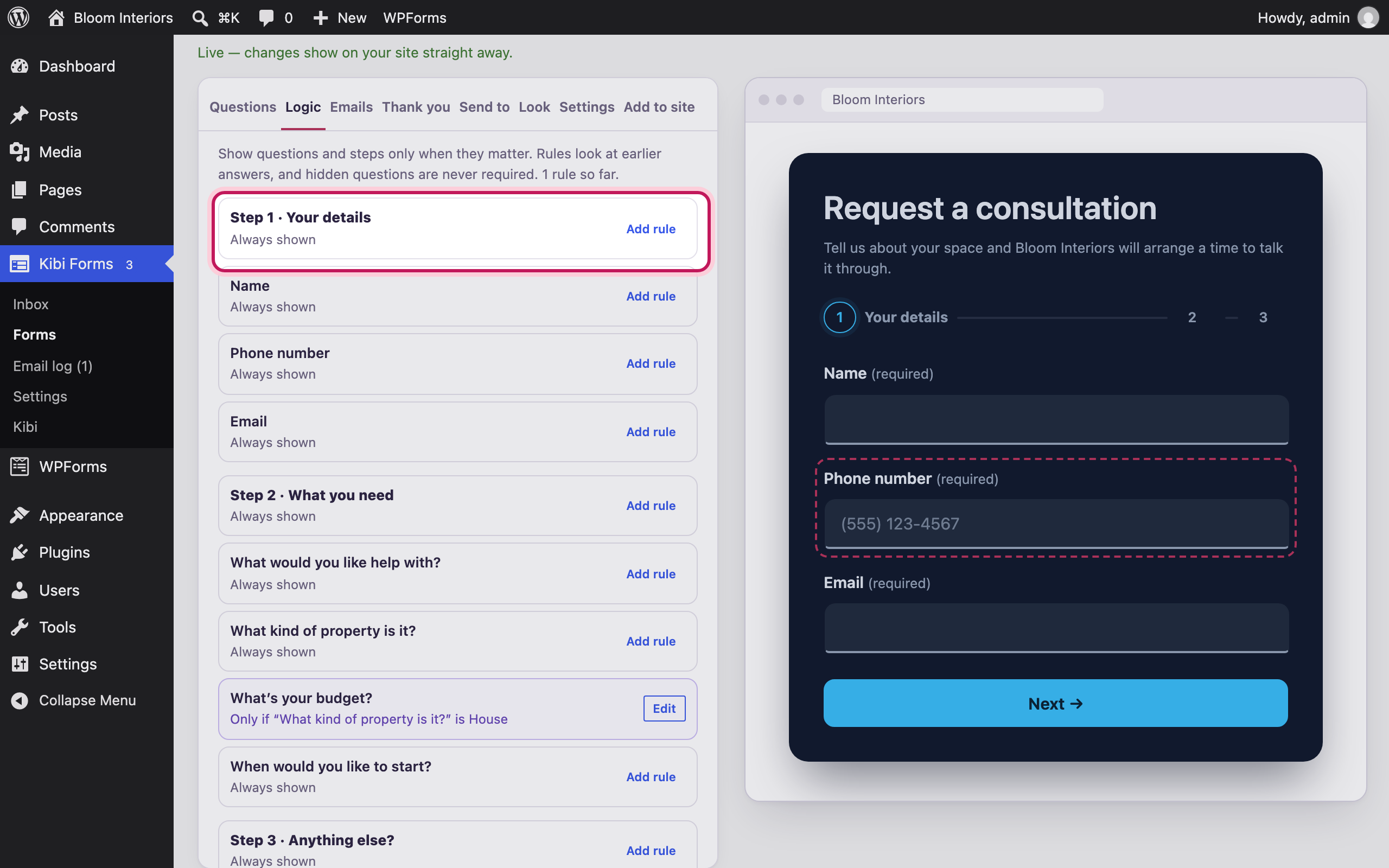
Show questions only when they matter
On the Logic tab, give any question or step a rule in plain words — for example, only ask about budget for kitchen work.
-
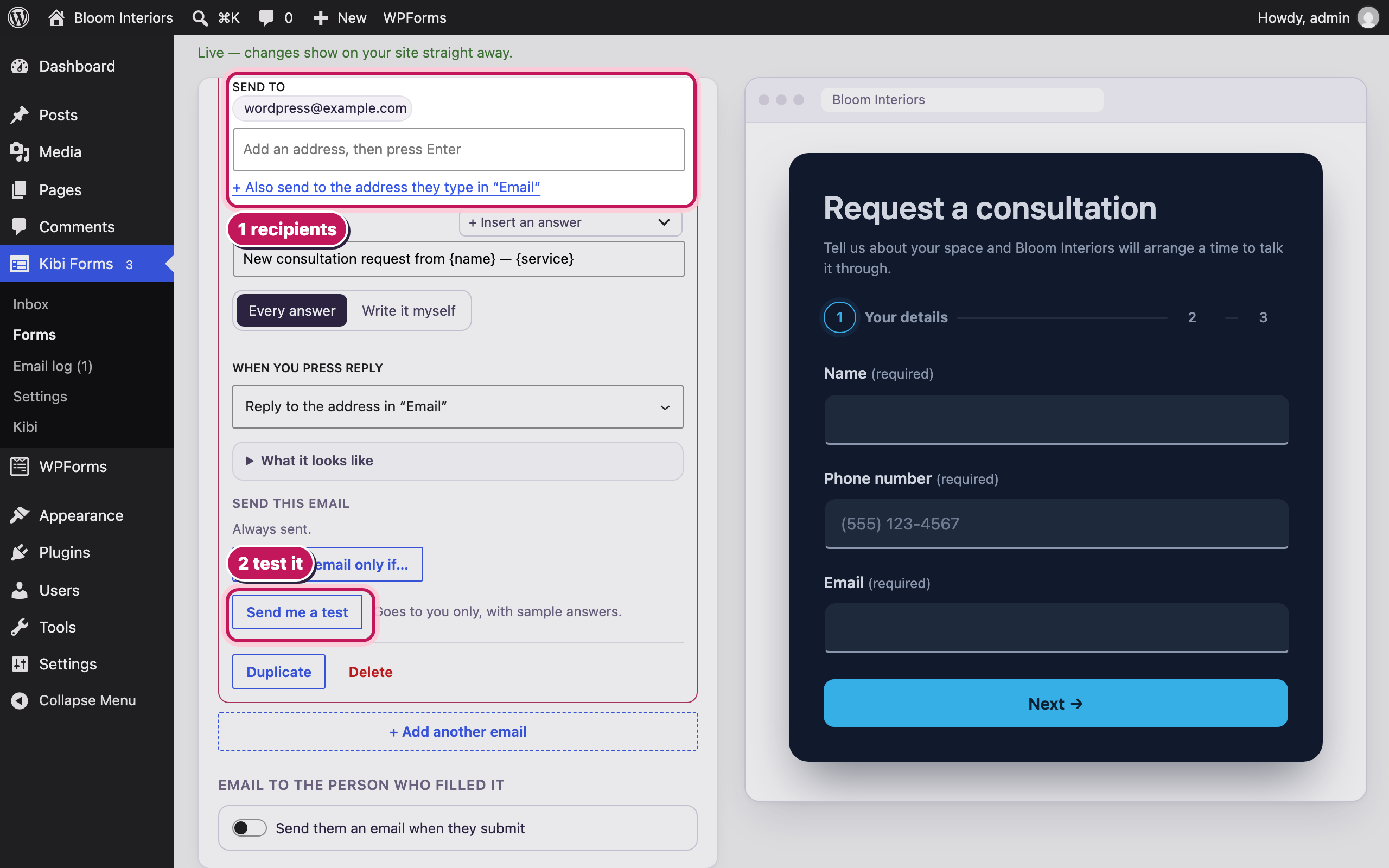
Who hears about a new entry
Send each entry to several people, with your own subject and wording. Reply goes to the person who filled the form.
-
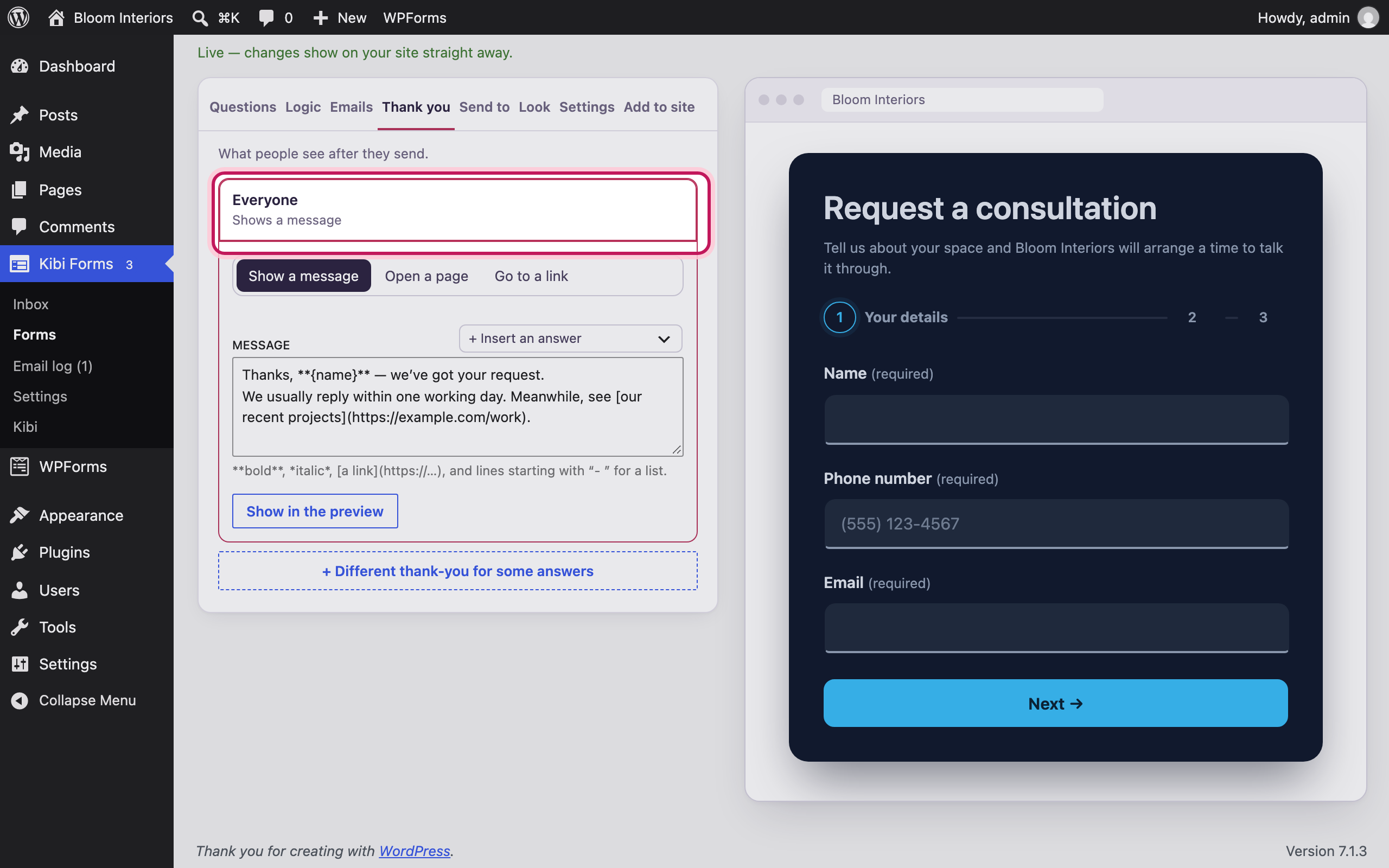
What people see after sending
Show a message, send them to a page, or use a different thank-you for different answers.
-
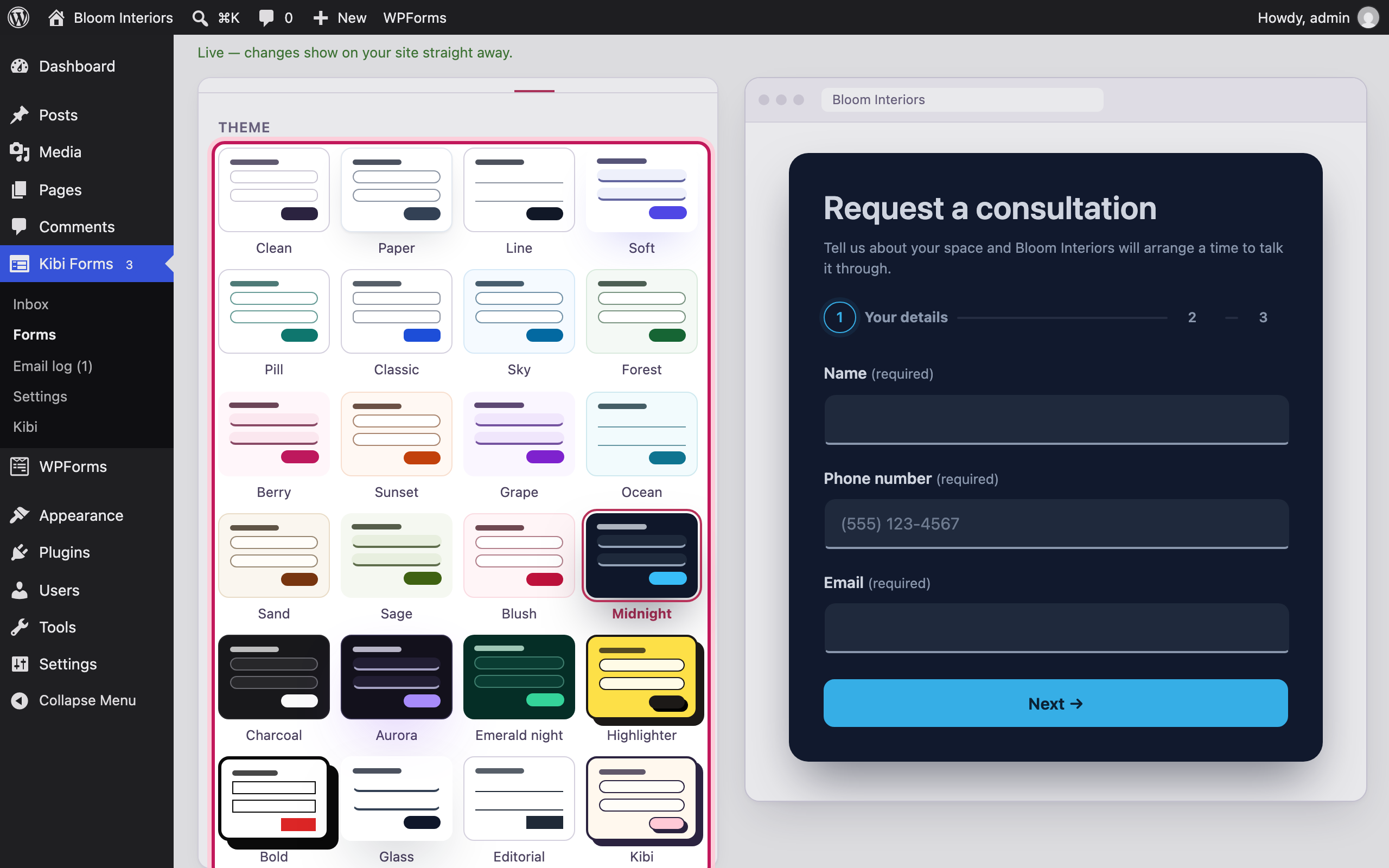
Make it look right
Pick from 24 designs, then fine-tune the colour, field style and sizes.
-
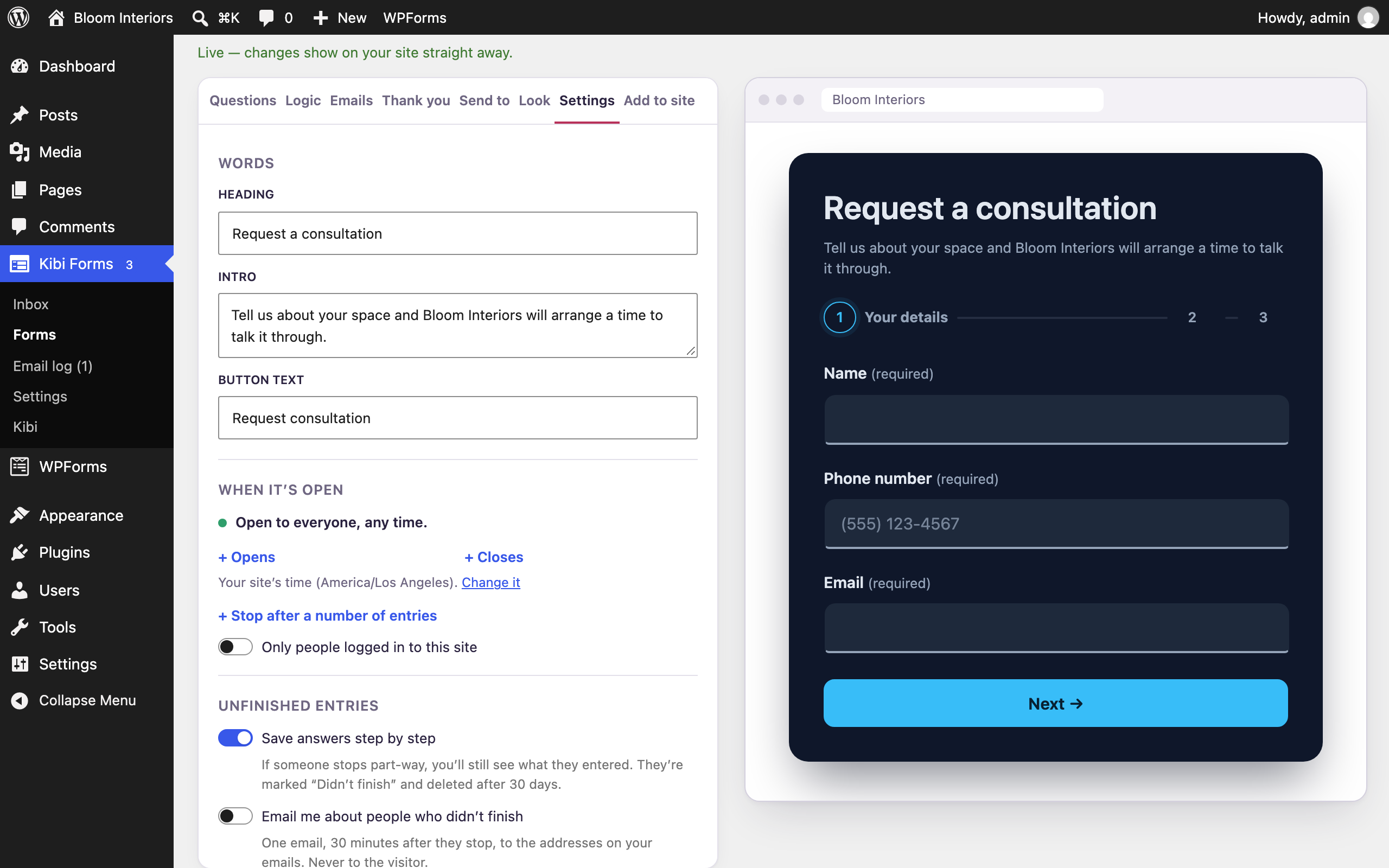
Schedule, limit and protect
Open and close a form on dates you choose, cap the number of entries, and switch on extra spam checks.
Bloom Interiors and the people shown are fictional demo details. Open any screenshot to view it full size in a new tab.