When an enquiry arrives
Saved first, in your Inbox, with the ad it came from.
-
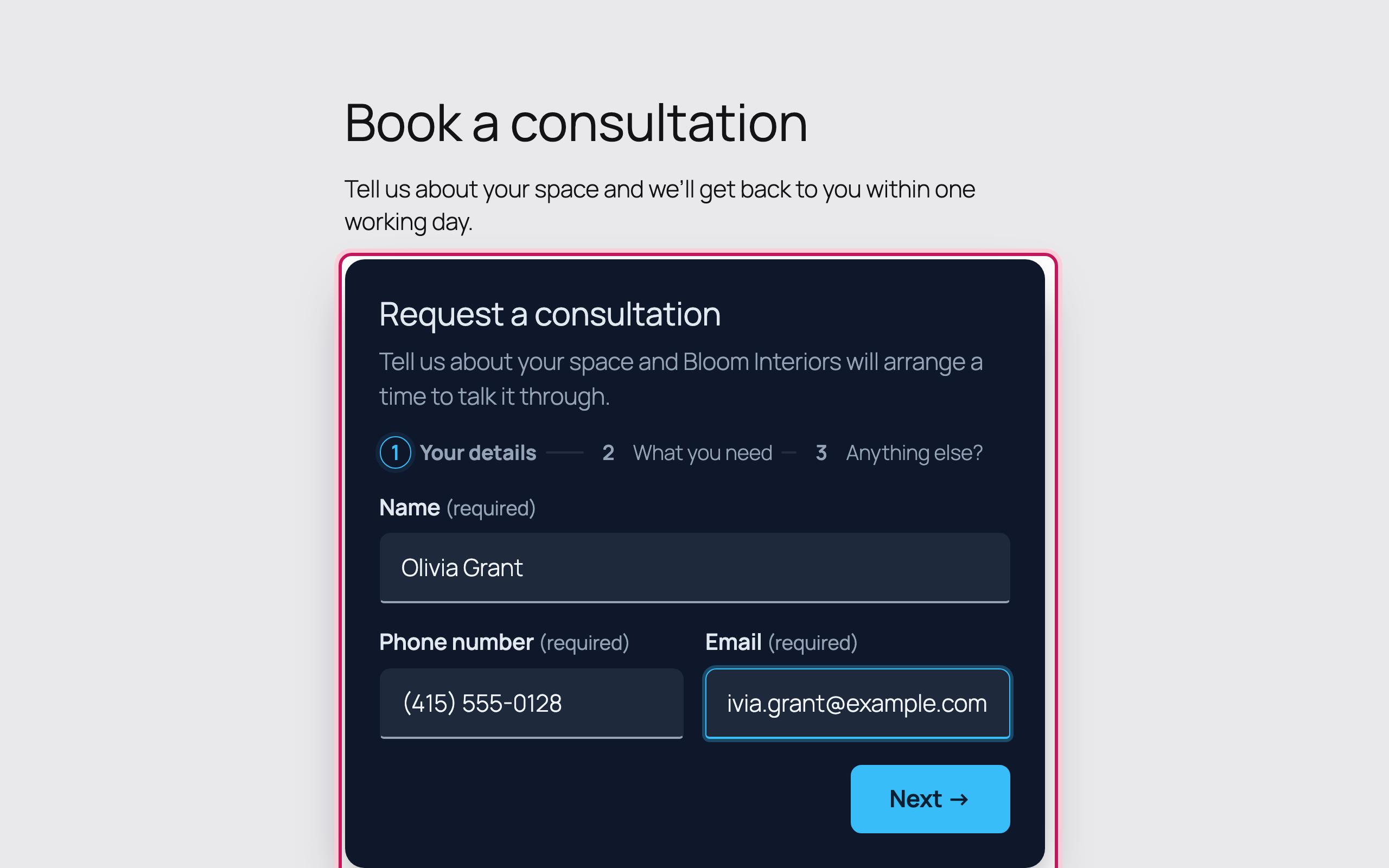
A visitor fills in your form
Someone clicks your Google ad and fills in the form. Each step is saved as they go, so you see it even if they stop half-way.
-
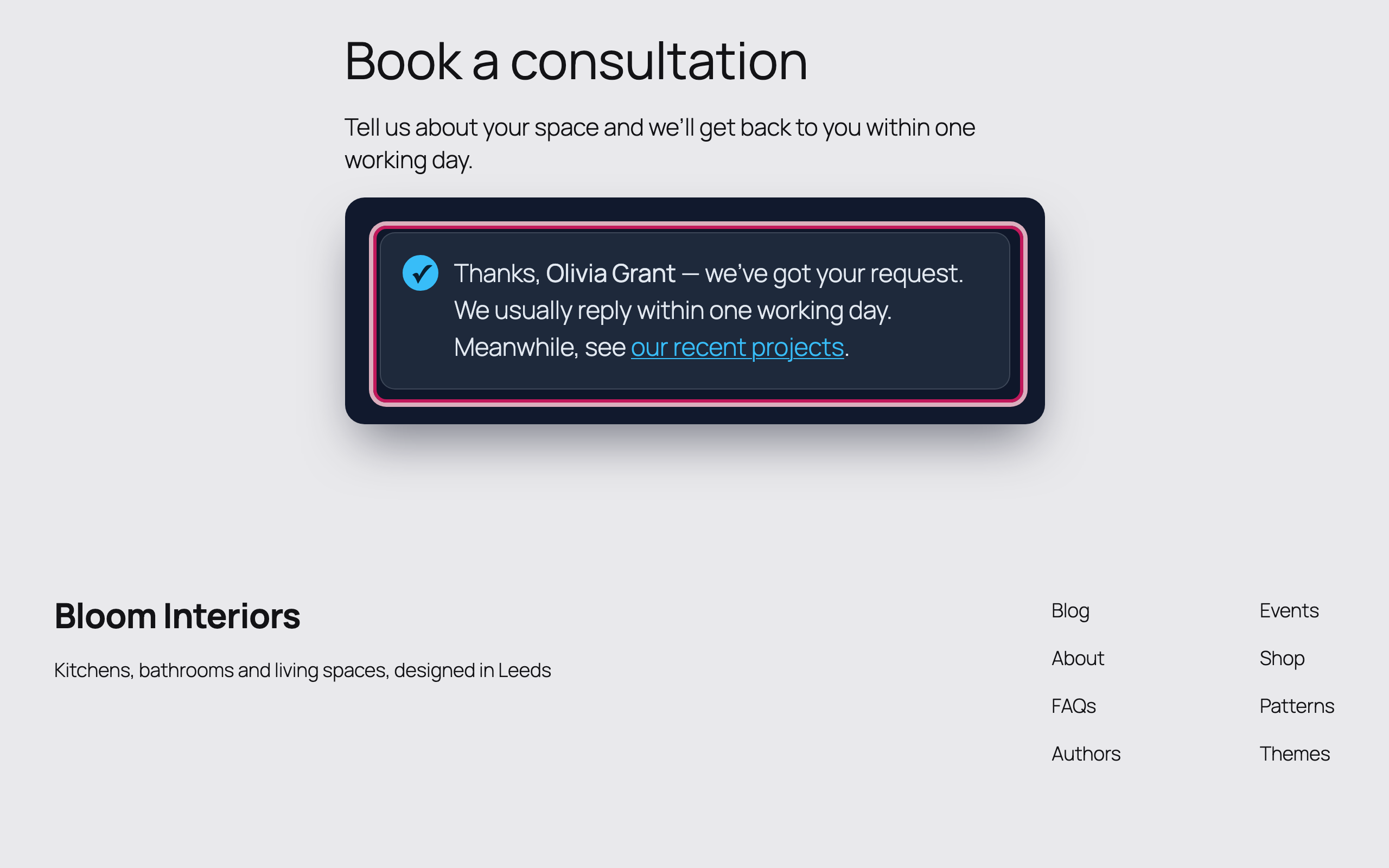
They see your thank-you
The entry is saved in WordPress before any email is sent — so it’s never lost.
-
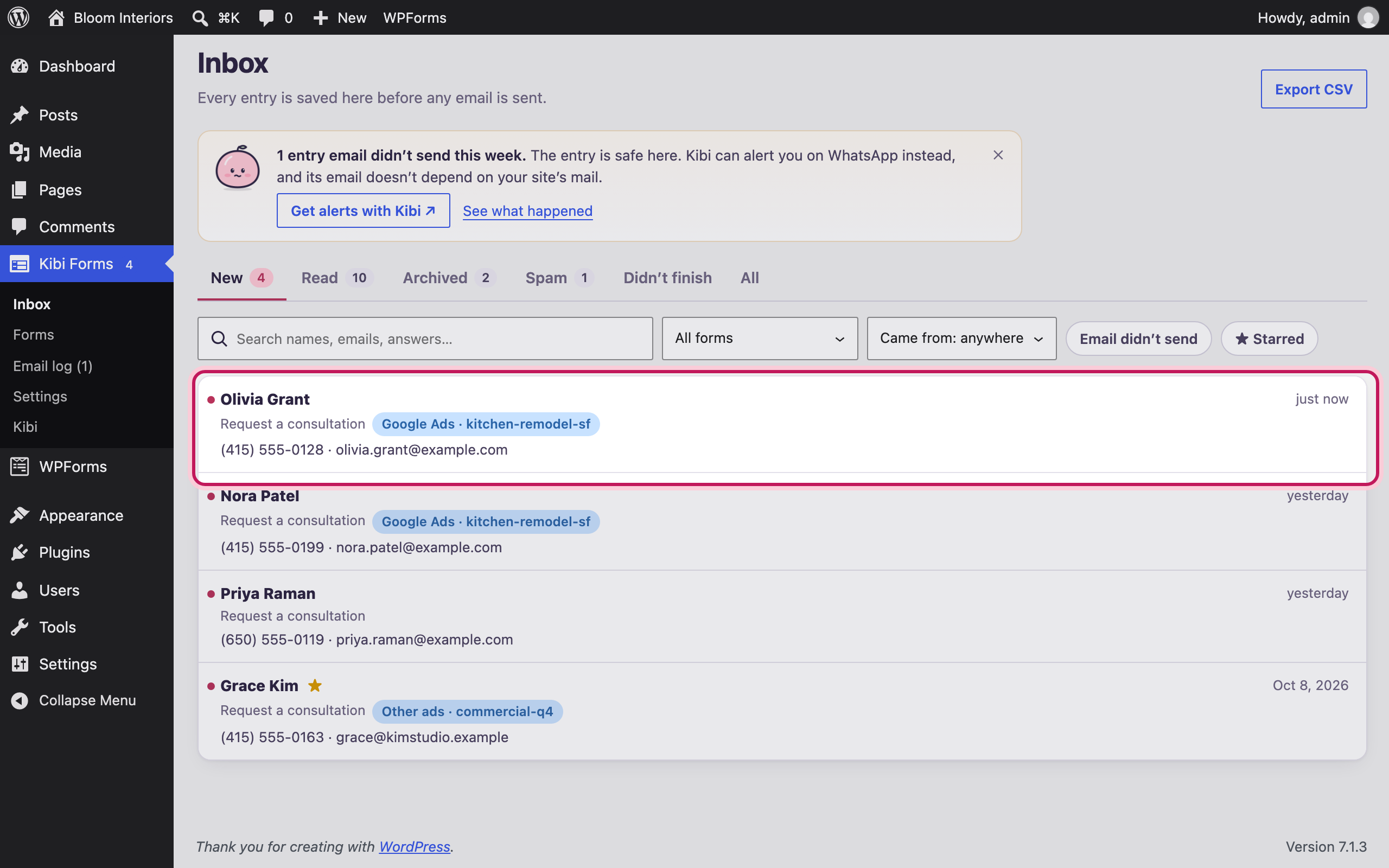
It’s in your Inbox
Every entry, newest first — with where it came from. Here: Google Ads, campaign “kitchen-remodel-sf”.
-
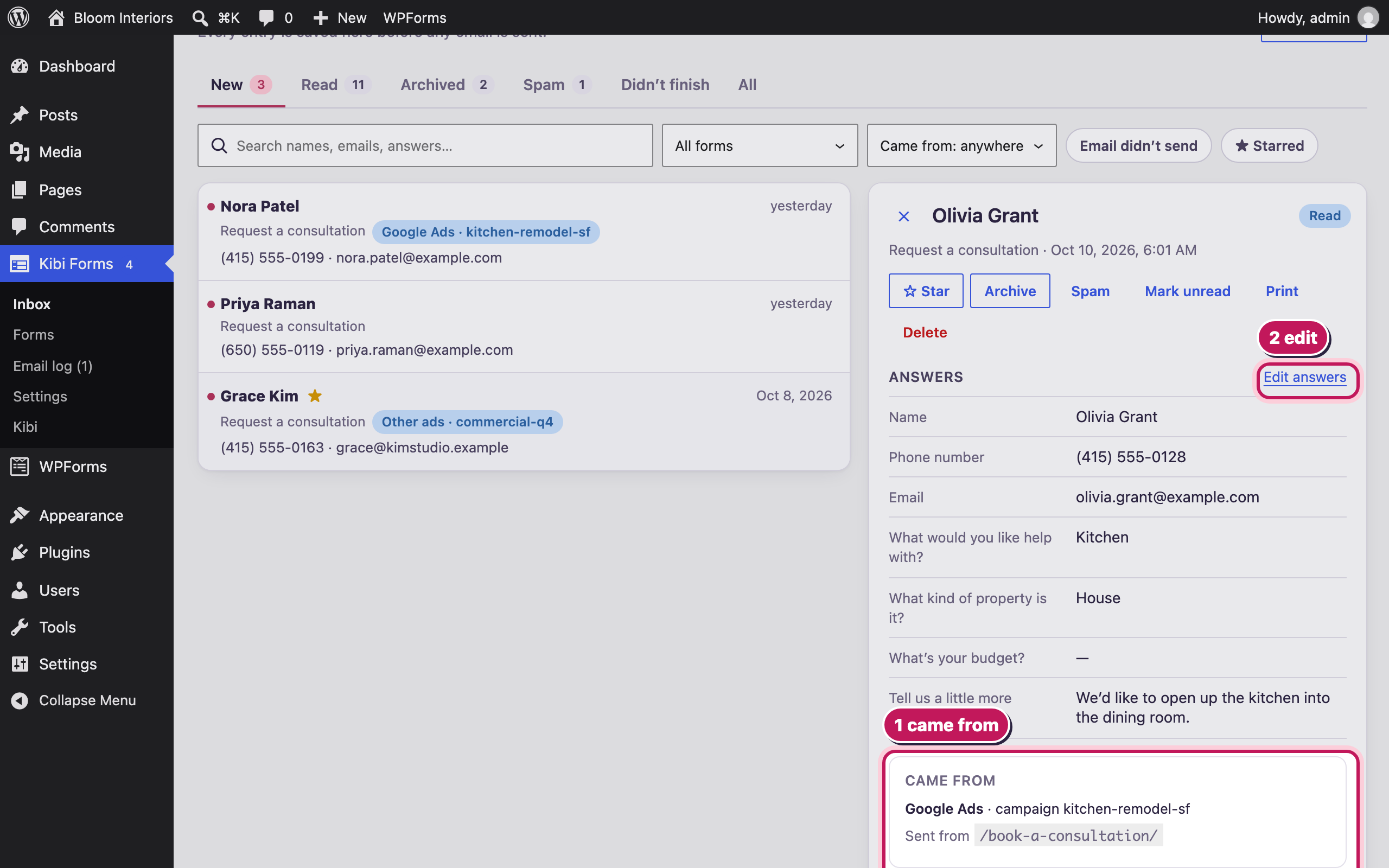
Open it
See every answer, where they came from, whether the email went out, and add notes for your team. Star, archive, print or edit it.
Bloom Interiors and the people shown are fictional demo details. Open any screenshot to view it full size in a new tab.