Bigin by Zoho CRM
Who it suits. A small team that needs separate pipelines.
Try this. Try a sales pipeline and a service pipeline with different fields. Check how many pipelines your edition includes.
Compare Kibi and Bigin →Allow Google Analytics to measure visits and clicks. Cookie details
Your browser’s privacy signal is on. Optional analytics stays off.
Start with the reviews. Then ask what happens when a new enquiry lands and the usual rep is out.
Compare the G2 ratings ↓These G2 scores cover each product’s overall reviews. Read reviews from teams like yours, then test one job you’d use the CRM for every week.
Ratings checked . Kibi makes this guide and appears above as our own product pick, separate from the G2 ratings.
Each platform represents a different job a small team might buy a CRM for. We checked published user ratings on G2 and used the vendors’ own documentation to describe features. The worked example uses Kibi’s demo. The trial tasks are for your team to run.
A home services team has a quote request from Victoria. The usual rep is out. Ask a teammate to find the request, see when the customer expects a call and pick up the quote.
INSIDE KIBI · EXAMPLE ENQUIRY
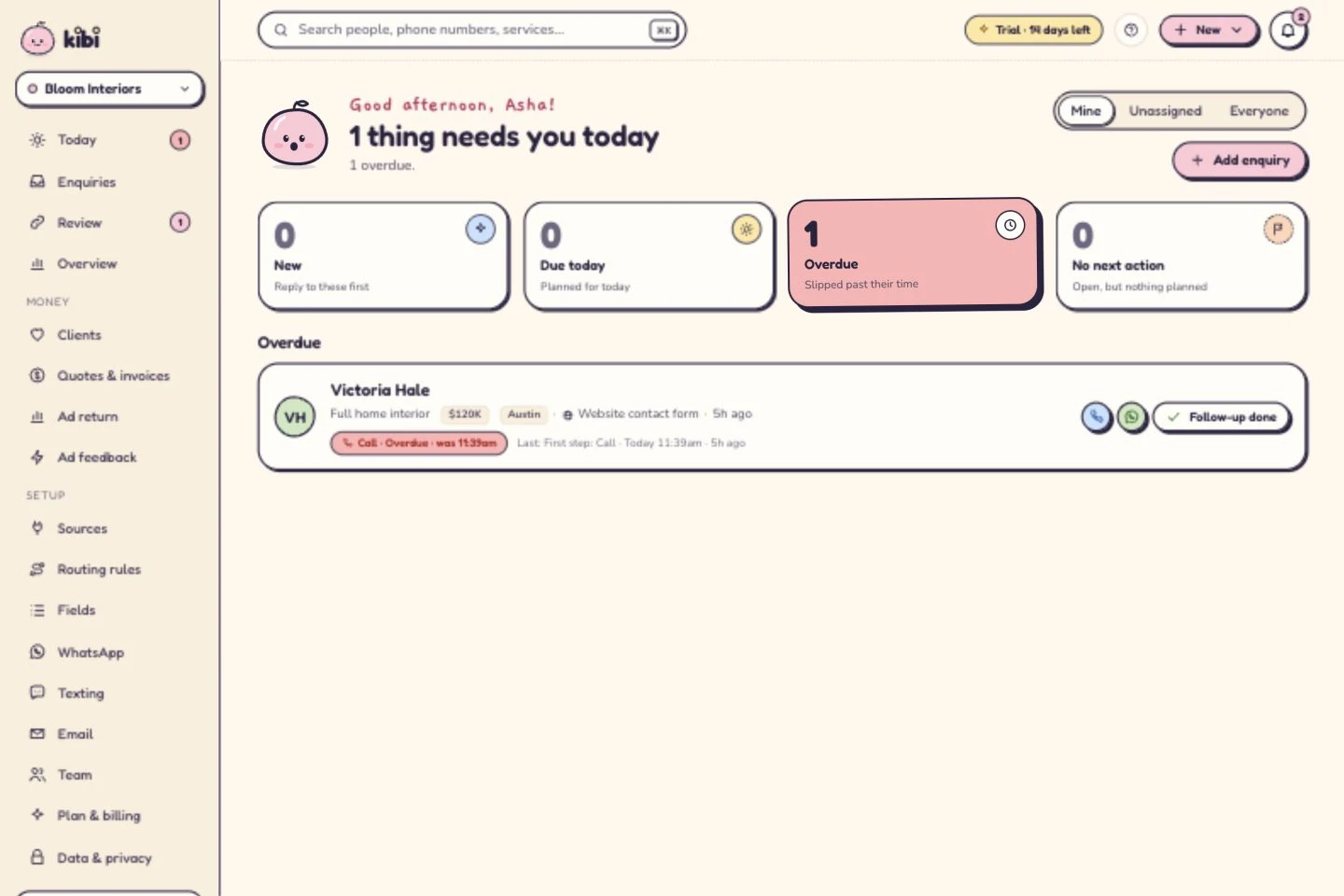
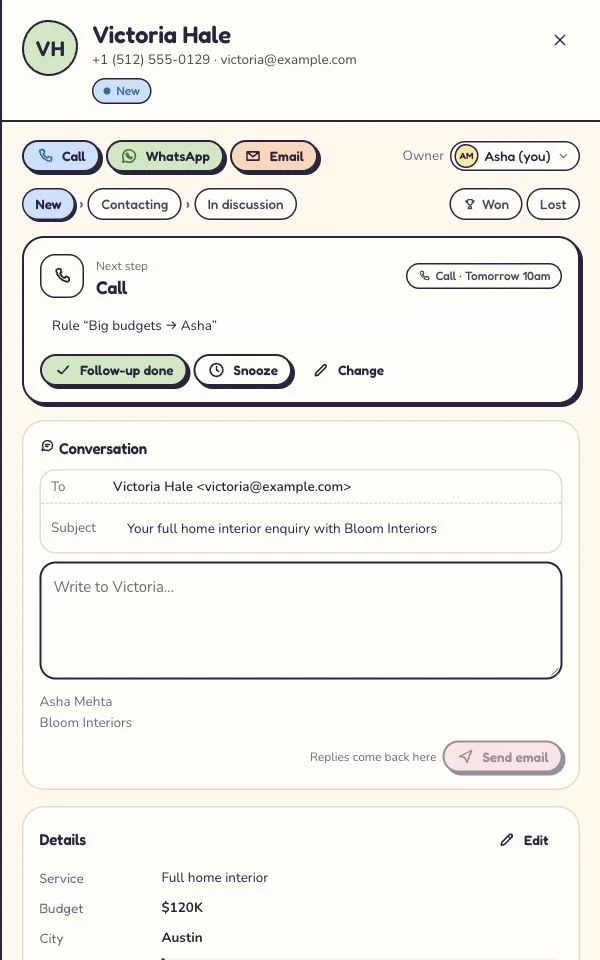
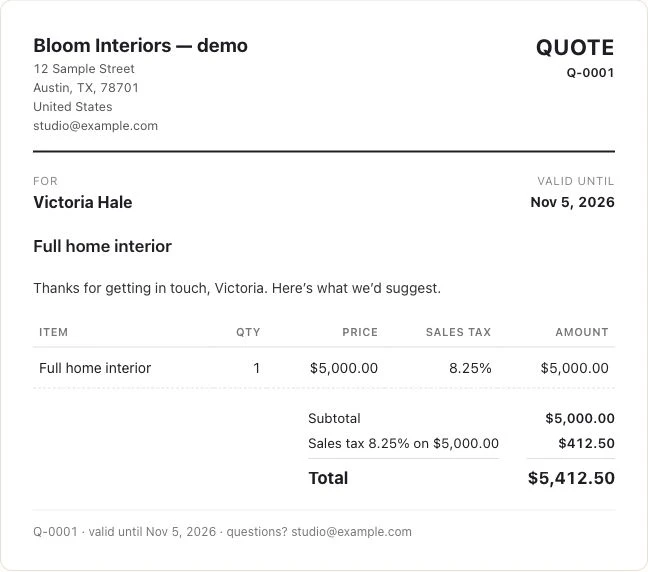
Open a step to see how it works in Kibi.
Try Kibi CRM if leads come in through forms or email and callbacks get lost between teammates. Give each enquiry an owner and a due time. The Today list shows who needs a call. Try covering one teammate’s callback before you move the whole team.
See what’s due in Kibi Today →Yes. In Kibi CRM, you can keep the enquiry, next call and quote together, then create an invoice from an accepted quote. Team includes 20 quotes and 20 invoices per month, plus payment reminders. Keep your accounting system for the books.
See the quote-to-invoice walkthrough →Compare the total for five logins on the plan that does the work you need. Kibi Team includes 5 people. Kibi’s calculator shows the bill in your detected currency and separates what’s due upfront from the monthly equivalent. Budget separately for messaging and payment-provider fees where they apply.
Calculate your whole team’s bill →Send a sample form enquiry, assign it to a teammate and have them find the next call. That’s enough to see how Kibi feels on a busy day.
Moving from a spreadsheet? Check your CSV first.