The client says, “Yes, let’s do it.” Lovely. Then the office asks which version they accepted, who’s sending the invoice and whether the deposit already came in. That little yes has quite the entourage.
Kibi CRM is our pick for small service teams that want to assign enquiries, schedule callbacks and turn accepted quotes into invoices on the same record. Choose Bigin with Zoho Books or Zoho Invoice if you already bill in Zoho. Look at vcita if clients regularly book appointments and pay through a portal.
We make Kibi. We’ll show you its actual screens and link the other vendors’ documentation so you can see where each tool fits.
Which CRM with invoicing fits your service business?
Start with the handover. An estimator gets a yes on a kitchen refit. The office needs the accepted scope, the right customer and a due date before it can bill. Where does the office look?
The three tools take different routes through that moment. Pick around the work you already do, especially if your bookkeeper or scheduler has a system they like.
| Tool | How billing fits | Best fit |
|---|---|---|
| Kibi CRM | Create an invoice from an accepted quote on the enquiry. Check payment there and keep the next call visible. | Small teams that share enquiries, callbacks and billing. |
| Bigin + Zoho Books or Invoice | Create or view estimates and invoices from Bigin after connecting the Zoho billing app. | Teams that want a sales pipeline alongside an existing Zoho billing setup. |
| vcita | Manage estimates, invoices and online payments alongside a calendar and client portal. | Appointment-led businesses where booking and payment go together. |
1. Kibi CRM for turning accepted quotes into invoices
Kibi CRM lets your office create an invoice from an accepted quote on the same enquiry. A teammate can check the agreed scope and issue the invoice while the person who priced the job is halfway up a ladder.
In the Bloom Interiors example below, Asha is handling Victoria’s enquiry. The quote for the interior project is accepted in the customer view. A teammate can then check the invoice and see when a payment has been recorded.
The screens come from a real Kibi demo using fictional details. Open the acceptance and invoice steps below. The first shows what the customer agreed to. The second shows what the office is billing. Your team reviews and issues the invoice.
If a client pays by bank transfer, check that the money arrived before recording it. If your team still owes them a call, put it in Today so the person covering tomorrow knows what they promised.
INSIDE KIBI · ONE EXAMPLE PROJECT
1 The person and promised call+
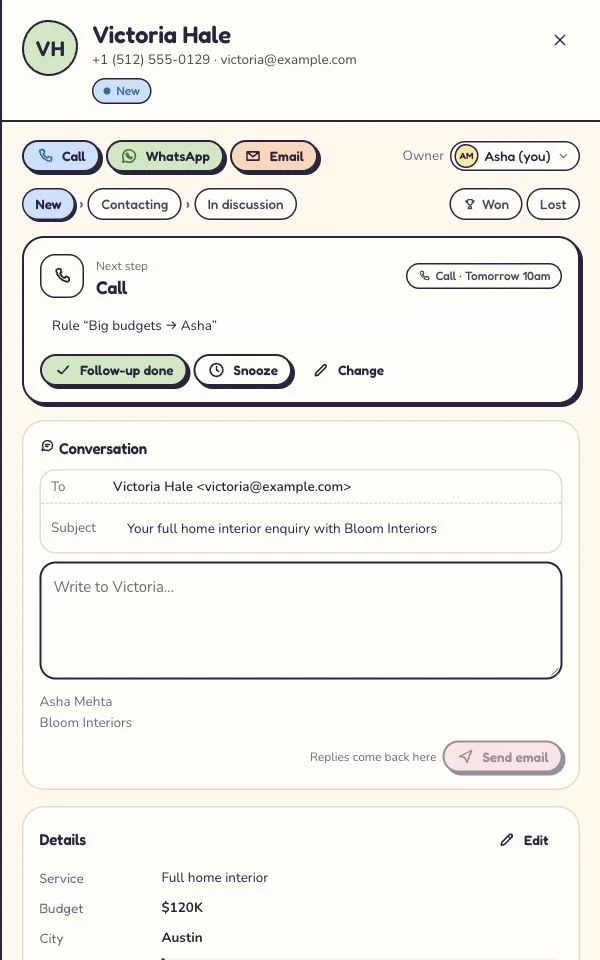
Asha handles Victoria’s enquiry. The planned call is tomorrow at 10. Read this screen at full size +
On a phone, swipe inside the enlarged screen.
2 The quote+
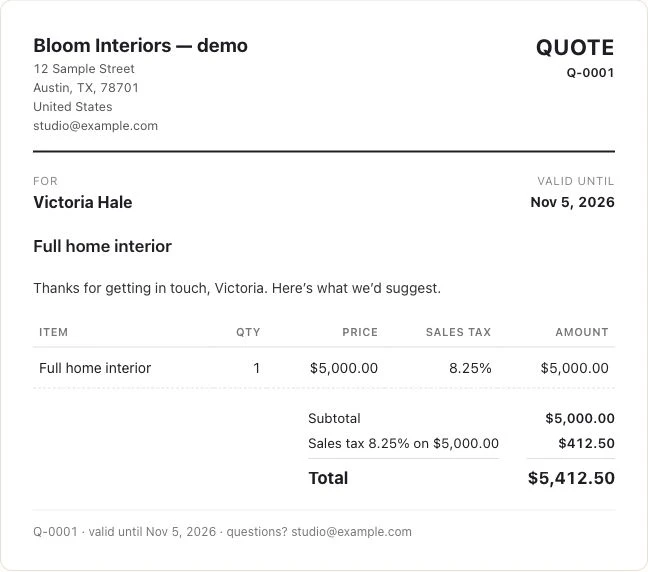
The example project has its own customer-facing quote. Its amount is a project price, not a Kibi subscription. Read this screen at full size +
On a phone, swipe inside the enlarged screen.
3 The customer’s answer+
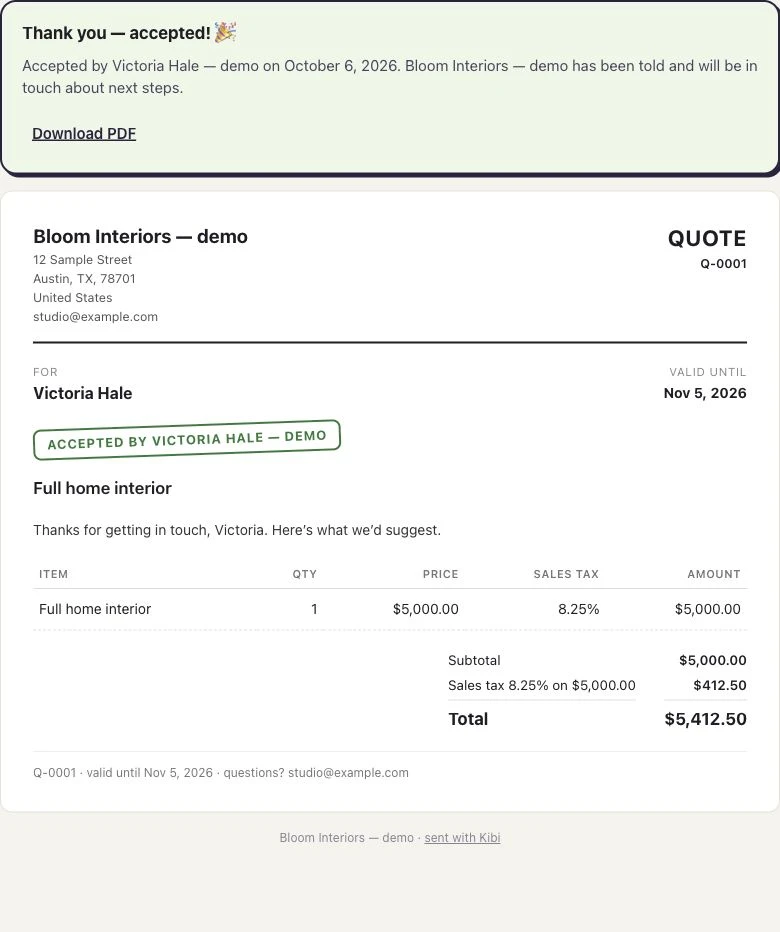
The customer’s acceptance stays with this quote. Read this screen at full size +
On a phone, swipe inside the enlarged screen.
4 The invoice+
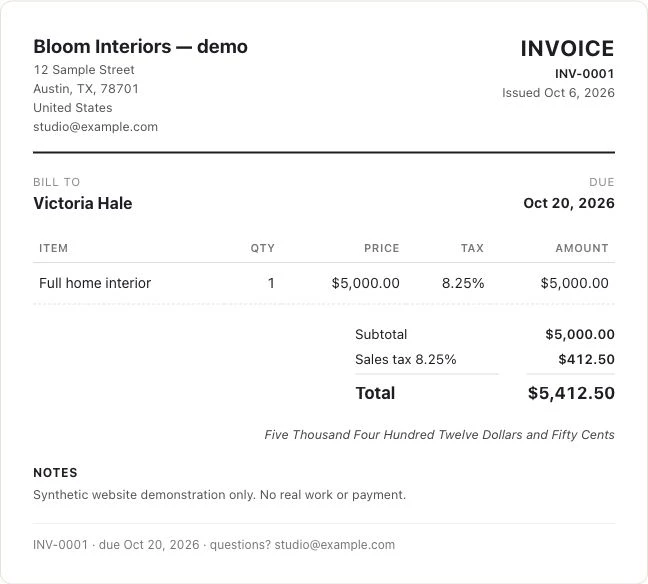
The accepted quote is used to make the invoice. Read this screen at full size +
On a phone, swipe inside the enlarged screen.
5 The recorded payment+
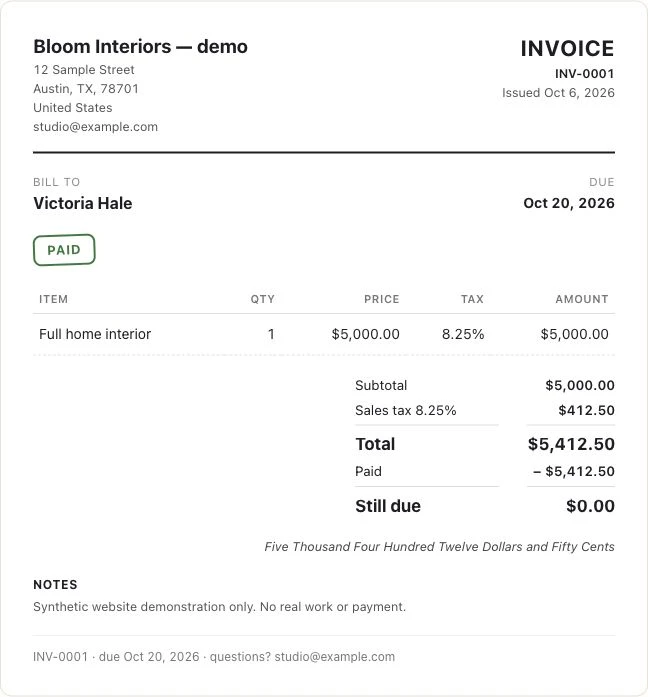
A simulated manual payment is recorded against this example invoice. Read this screen at full size +
On a phone, swipe inside the enlarged screen.
2. Bigin with Zoho Books or Invoice. Can we keep our Zoho billing setup?
Yes. Bigin documents a connection to Zoho Books or Zoho Invoice. It syncs customer and product details and lets you create or view estimates and invoices from a Bigin record once connected. The billing side still lives in the connected Zoho app.
If your accounts person already works in Zoho Books, try the handover before changing anything. Can the salesperson find the right estimate? Can the bookkeeper reconcile the payment in the account they already use?
Zoho Invoice is free and has published limits of two direct users and 500 invoices per year in the US and India. Five people in Bigin can be a sensible setup when only one or two need to work directly in Zoho Invoice. Check what a Bigin-only user can do with your permissions before you buy.
If more people need direct billing access or you need a fuller accounting setup, price the relevant Zoho Books edition too. A free billing app is a good deal when it covers your actual working week.
3. vcita. What if clients need to book and pay?
Put vcita on the shortlist if appointments start the work. A training studio, for example, might want a customer to pick a time and pay through the same client portal.
vcita’s Manage plan lists estimates, invoices, scheduling, a portal and access for multiple staff. Its help guide covers deposit requests on estimates, applying a payment to an invoice and sending a payment reminder. Check the plan and payment options for your country.
Bring your busiest day to the demo. A client moves a booking, a deposit has already arrived and someone else needs to see it. Ask to see that exact job, including what each staff member can access.
What does a CRM with invoicing cost for two or five people?
Two people share the office and send four quotes and four invoices a month. Five people share the enquiries and send 15 of each. Both teams need their own logins. In the larger team, one person runs billing.
Kibi Starter fits the two-person example. Team fits the five-person example and adds invoice payment reminders and your logo on documents. If the two-person team wants either of those features, price Team for that scenario too.
Prices for United States Subscription prices before tax and payment processing. Vendor prices checked .
| Tool | 2 people | 5 people |
|---|---|---|
| Kibi CRM | Starter USD 29 monthly or USD 290 paid yearly 5 quotes + 5 invoices a month | Team USD 79 monthly or USD 790 paid yearly 20 quotes + 20 invoices a month |
| Bigin Express+ Zoho Invoice | USD 168 paid yearlyUSD 14/month equivalent Two CRM seats. Zoho Invoice has no subscription fee. | USD 420 paid yearlyUSD 35/month equivalent Five CRM seats. Up to two direct billing users in Zoho Invoice. |
| vcita Manage | Confirm staff totalCheck the cost of 2 logins with vcita. | Confirm staff totalCheck the cost of 5 logins with vcita. |
vcita advertises Manage from USD 54 per month on annual billing. Confirm the staff allowance before using that rate as a team total.
The Bigin examples use Zoho Invoice. If you need Zoho Books, add its subscription cost. Kibi checkout uses the country of your payment card.
See Kibi’s current plans and billing optionsCan a CRM remind clients about unpaid invoices?
Yes. In Kibi, you can turn on invoice payment reminders on Team and Growth. They stop when an invoice is paid or void. Your teammate still handles the conversation if the customer needs a new due date or has a question about the work.
Try that before buying. Have a colleague find the outstanding invoice, check whether anyone has already followed up and say what they’d do next. Nobody needs two reminders and a surprise call on the same Tuesday.
Questions to ask before you buy a CRM with invoicing
Which CRM lets a two-person service business turn an accepted quote into an invoice?
Kibi CRM can turn an accepted quote into an invoice from the same enquiry. Starter includes 2 people, 5 quotes sent and 5 invoices issued per month. Kibi’s invoice payment reminders are on Team and Growth.
Can five people share a CRM if only one person handles invoicing?
Kibi CRM Team includes 5 people. The team can work from the same enquiry while one person handles billing. The account includes 20 quotes sent and 20 invoices issued a month, plus invoice payment reminders.
Can Kibi CRM show whether the customer accepted a quote or paid an invoice?
Kibi CRM shows the customer’s acceptance on the quote and the recorded payment on the invoice. Both are accessible from the same enquiry. If the customer pays outside Kibi, your team checks that the money arrived and records it.
Does CRM invoicing replace my accounting software?
Keep your accounting system for your books and reconciliation. Kibi covers the sales side, from enquiry to quote, invoice and payment record. If your bookkeeper needs a specific handover or integration, test that with a sample invoice before you switch.
Can I try Kibi invoicing before paying for a plan?
Yes. Kibi CRM has a 14-day free trial, then a paid plan. Use a sample enquiry to try the quote and invoice workflow. Check the monthly allowances and reminder features on the plan you’ll use after the trial.
Try one quote and invoice before you move your leads
Use a made-up enquiry and an address your team controls. You only need one quote, one invoice and a colleague who hasn’t seen either yet.
- Create the enquiry and save who’s handling it. Add the one detail a teammate would need to bill correctly, such as whether delivery was included.
- Prepare the quote and open its customer link yourself. Accept the sample quote, then create the invoice from it. Check the line items and due date.
- Ask your colleague to find the invoice, tell you whether it’s been paid and point to the next call. If they can do that without asking for the PDF, you’ve tested a real working day.
How we compared the three tools
We reviewed Bigin and vcita’s official documentation and list prices on 7 November 2026. The walkthrough uses Kibi’s demo. The competitor comparisons are based on their published workflows and plan details.
We compared subscriptions for two and five people. A tool makes the shortlist if someone who didn’t send the quote can still tell the customer what they owe and when.
Try one thing on the next enquiry.
Pick a change your team can use tomorrow.