Keep WhatsApp. Bring your team into the loop.
Your customers already know where to find you. Keep the conversation connected to its owner and next step in Kibi.
14 days · every feature · no card
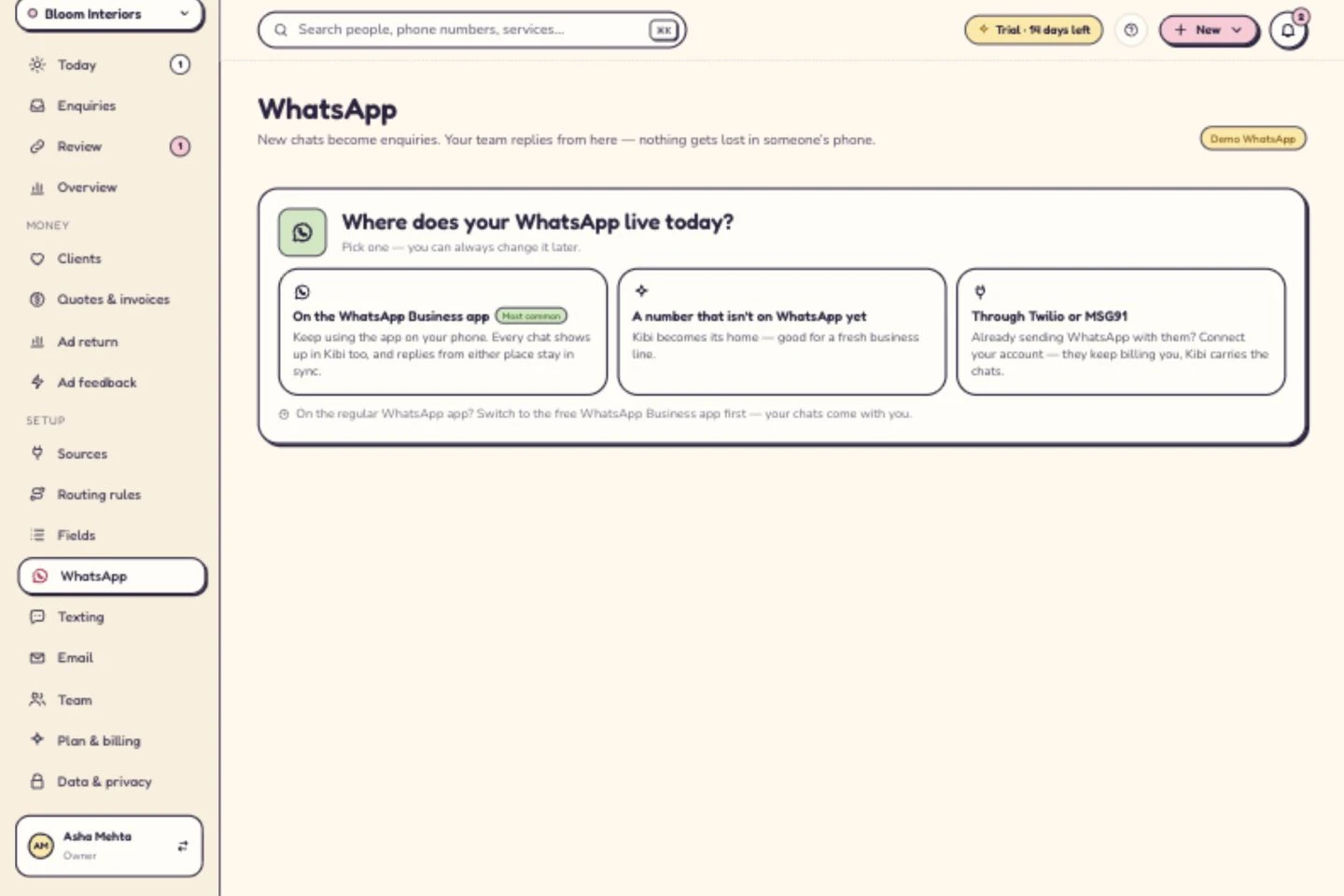
The app reply comes along too.
Keep using your eligible WhatsApp Business app number. Replies sent from the app appear in Kibi too.
Choose the connection you need.
Use the Business app, a number that is not on WhatsApp yet, or your existing Twilio or MSG91 account.
One conversation. A clearer handoff.
See what was said before the next teammate replies. Keep the next callback or follow-up beside the enquiry.
Meta bills you directly for WhatsApp. Kibi never charges your credits for it. Through Twilio or MSG91, your provider bills you directly. Setup depends on your account and number’s eligibility.
Connection guide →A few useful answers.
Who bills us for WhatsApp?
Meta bills you directly for WhatsApp. Kibi never charges your credits for it. Through Twilio or MSG91, your provider bills you directly.
What happens while setup is being reviewed?
Getting WhatsApp ready shows Meta’s display-name review, card for templates and business verification. Chats keep arriving the whole time.
Can every number connect?
Connection depends on your account and number’s eligibility. Choose the setup path shown for your account.
Your next enquiry deserves a next step.
Give it a home, an owner and someone who knows when to call back.
14 days · every feature · no card
on the next step.