Before you start
Have a WhatsApp number connected to MSG91 and authorised access to the relevant Authkey and WhatsApp settings. Use a credential with the required scope under your business's security process. Treat the complete Kibi webhook URL as private if it contains a token.
Connect it, step by step
- Open MSG91's Authkey settings and identify the active key intended for this WhatsApp integration.
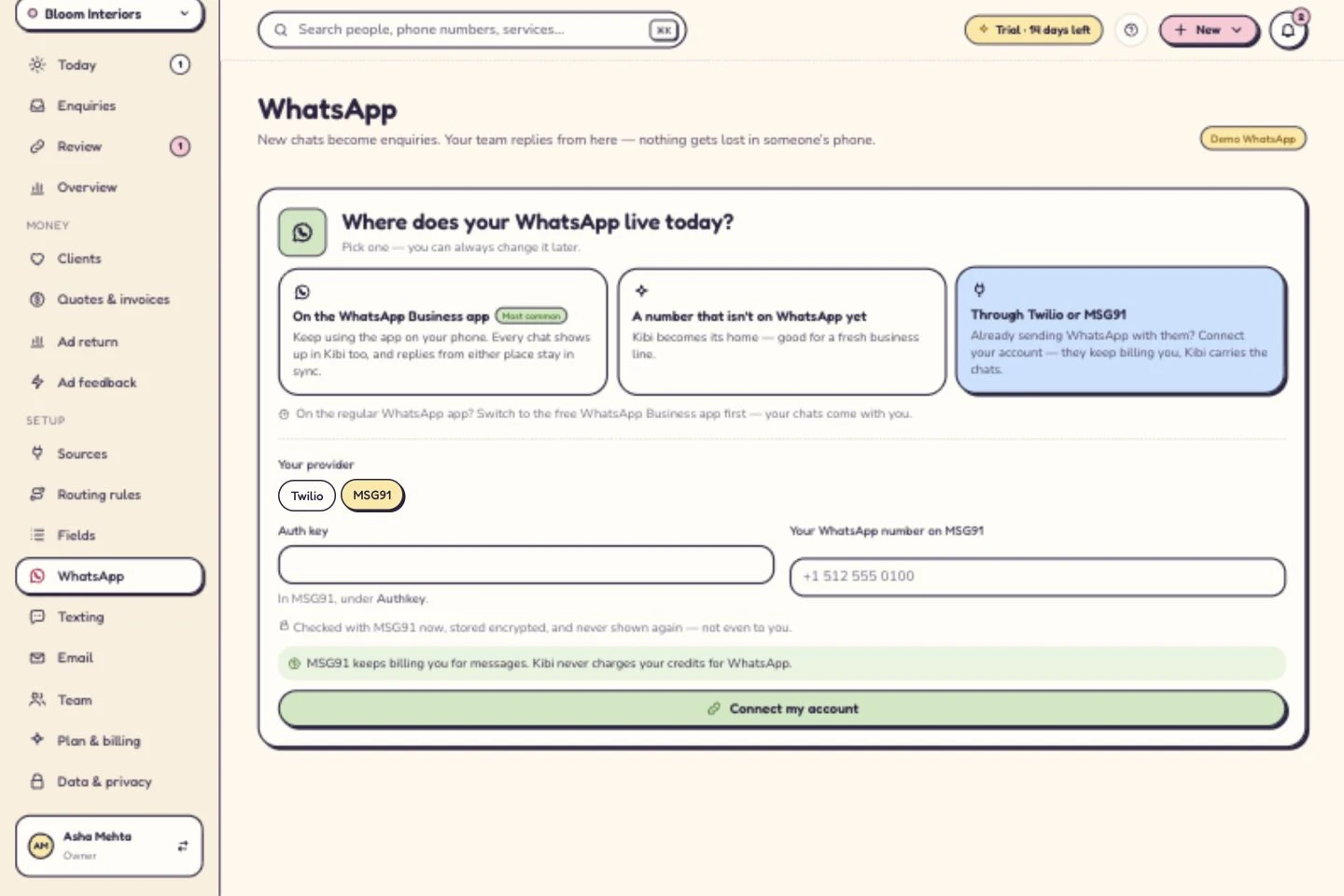
- In Kibi's WhatsApp page, select ‘Through Twilio or MSG91’, then MSG91.
- Enter the key and sender number, including country code, in Kibi's authorised connection form. Select ‘Connect my account’.
- Copy the webhook destination shown in ‘Getting WhatsApp ready’. Add it to the corresponding MSG91 WhatsApp inbound configuration and save.
- Send a fresh message from another phone. Check that the conversation arrives in Kibi and the webhook-readiness state updates.
MSG91 keeps billing you for messages. Kibi never charges your credits for WhatsApp.
What happens next
MSG91 bills your business directly for messages. Kibi never charges your credits for WhatsApp. Where supported, use template Sync to refresh the templates available through the connection.
If you get stuck
Key rejected? Check key status and required WhatsApp access. No incoming message? Check the sender, exact destination and inbound-event configuration. A delivery-report webhook is not automatically the same as the inbound-message webhook this workflow needs. Changed a key? Update the Kibi connection and repeat the test. Share only masked diagnostics with support.
Related guides
Kibi screens shown here use a demonstration workspace. Use your own account details when you connect.