The lead looks lovely. Who’s calling them back?
Kibi or Pipedrive? Choose Kibi for a small team’s incoming enquiries, named owners and next actions. Give Pipedrive weight when deal pipelines, activities and sales automation organise your day.
14 days · every feature · no card
Give the next enquiry a person and a plan.
Kibi keeps the request, owner and next action together. Less “someone should call them”. More “Asha’s on it”.
Keep a pipeline that earns its place.
Pipedrive offers a lead, deal and activity routine. Keep it in the running when that is how your team manages opportunities.
On this pageExplore the comparison
Pick the situation. Follow the decision.
Compare the work your team does.
| Decision | Kibi | Pipedrive |
|---|---|---|
| Daily starting point | Enquiries, owners and planned follow-up in Today. | Leads, deals, pipelines and activities. |
| Website enquiries | Kibi Forms, supported existing-form routes and enquiry email forwarding. | Pipedrive documents Web Forms as part of LeadBooster. Check whether the selected package includes it or requires an additional purchase. |
| Sharing the work | Routing and round robin on Team and Growth. | Automatic assignment is documented with conditions and plan requirements. Verify the current package and access needed. |
| Quotes and invoices | Quotes on every plan; tax invoices on every plan. | Document and finance requirements depend on the package and connected tools. |
| WhatsApp (available). Number eligibility applies; provider bills directly. | Check the specific WhatsApp connection your team needs. | |
| What to price | Included people, extra people, plan features and separate provider charges. | Seats, billing term, included tools and any required add-ons. |
Official sources and edition details
When Pipedrive is the better choice
Pipedrive may be the better fit when deals and a visual sales pipeline drive your day. Its activity, forms and assignment tools are worth testing against that workflow.
Your CRM should make the next move obvious.
A customer asks about a renovation. Another needs a revised proposal. Someone wants a call after lunch. A useful CRM gives those conversations a clear home and the people handling them a clear next step.
Kibi starts with that enquiry routine. Pipedrive is built around activity-based selling. Both deserve a better question than “how many features do you have?” Ask which one your team will actually use on a busy morning.
Keep the question, not just the email address.
“Please send details” and “We need a kitchen quote before Friday” are different enquiries. Keep the actual request, source and useful answers with the person who will respond. The first conversation gets much less awkward.
Kibi supports website forms, selected forwarded enquiries, CSV and manual intake. If you already use Contact Form 7, the tutorial shows a real supported connection from a saved form submission into Kibi.
Pipedrive Web Forms can create leads or deals through LeadBooster. Confirm whether your chosen offer includes it. Your existing form may already earn its keep; compare the complete route before replacing it.
“The team has it” is a rather mysterious owner.
A named owner makes the handover useful: Asha handles the enquiry, the customer wants two options, and the next conversation is tomorrow. A covering colleague needs the latest agreement, not a private briefing from someone on leave.
Kibi routing and round robin are on Team and Growth. Assignment and access are different choices: check what a covering colleague can see and change as well as who receives new work.
Pipedrive supports rule-based assignment. Its help page uses “Professional and higher”, while current pricing lists Lite, Growth, Premium and Ultimate. Confirm the equivalent entitlement for your actual account before buying.
An overdue call deserves more than a colourful stage.
Today brings new enquiries and planned follow-ups into the daily routine. Open the request, make contact and record the next useful action. If the customer changes the callback time, update the plan. Memory has enough admirers already.
These actual Kibi screens show different moments in our isolated Bloom Interiors demo: an overdue call, Asha’s rescheduled next action and a customer-facing quote. Victoria and the project are fictional; this is product evidence, not a customer result.
A person makes the call. A quote is its own document. Acceptance, invoice creation and payment remain separate steps. The point is to keep the work clear, not to pretend every conversation runs itself.
INSIDE KIBI · EXAMPLE ENQUIRY
Find the call that needs attention
Today shows the call that needs attention. Example enquiry. 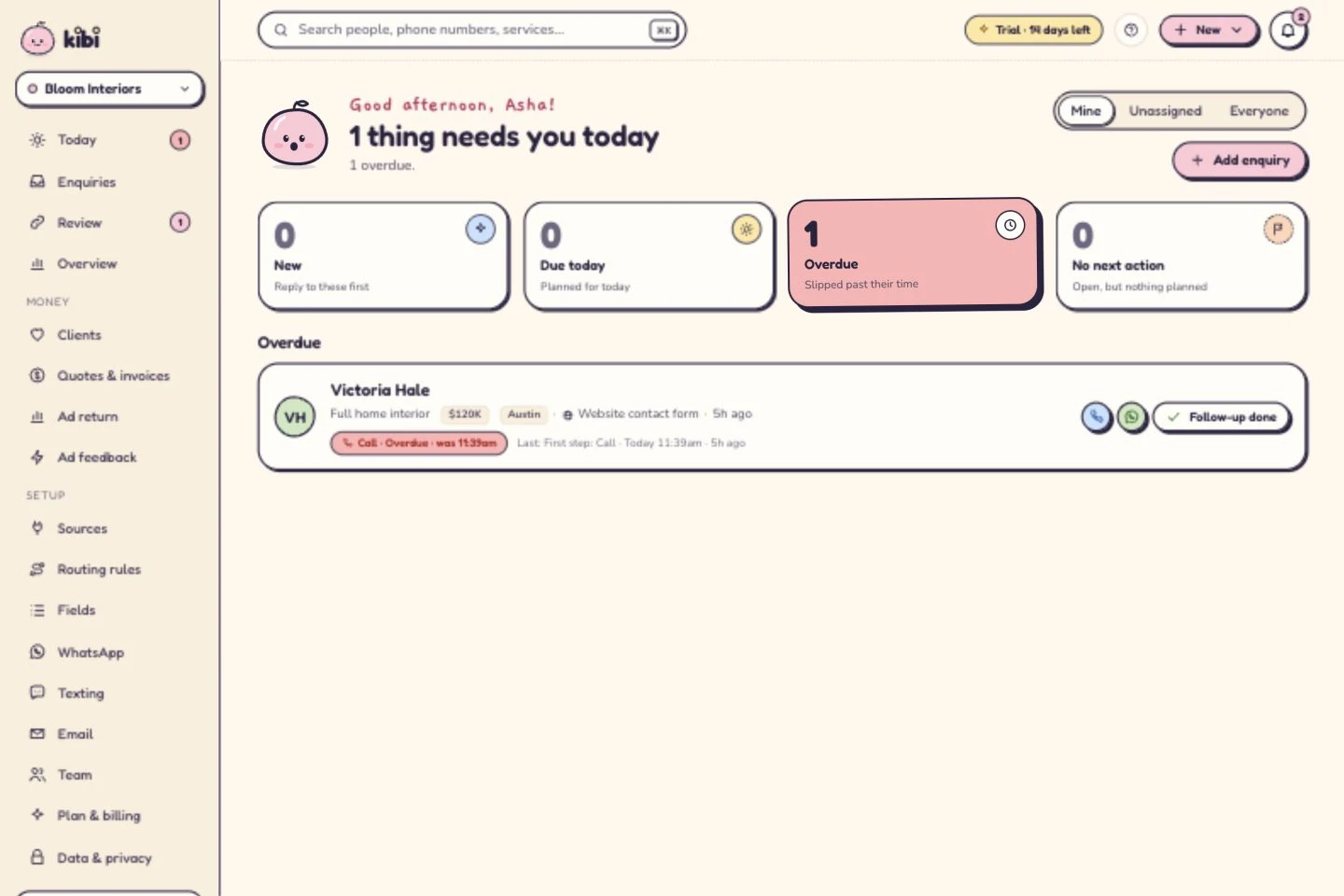
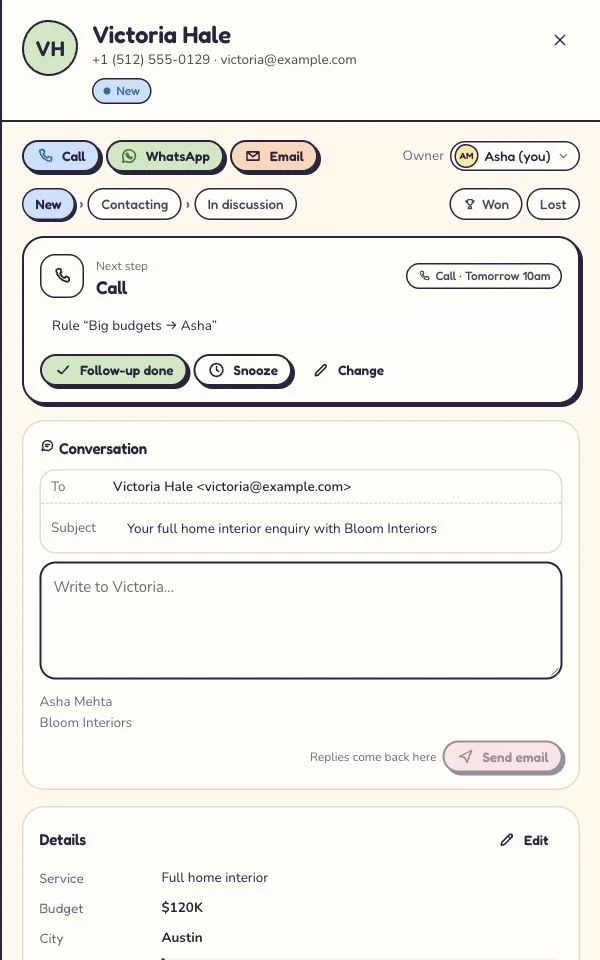
See who owns the next conversation
The next call is tomorrow at 10. Example enquiry. Give the offer its own document
The quote stays with the enquiry. Example project amount. 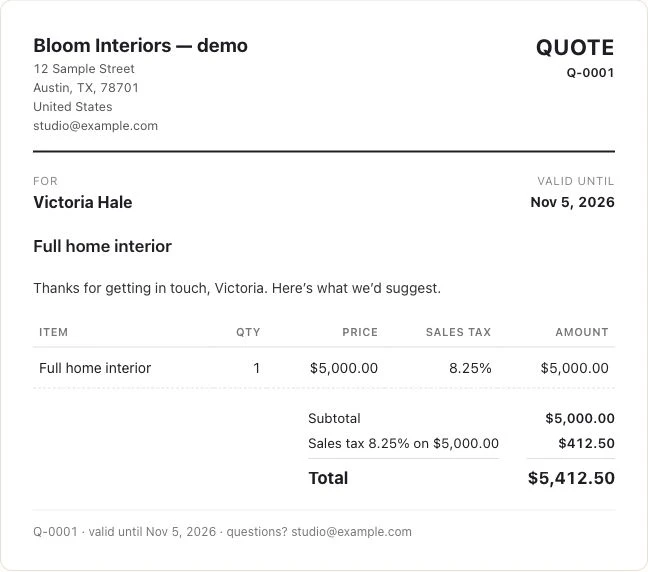
Open a step to see how it works in Kibi.
The whole team. The whole job. Then the price.
Count the people using the CRM and the work they need to do. Kibi Team includes 5 people; Growth includes 10. Additional people follow the current extra-person rate. Country pricing shows the applicable amounts.
Quotes are on every plan; invoices are on every plan. If you sell custom work, include those steps in the decision. A lovely inbox still leaves someone to prepare the offer.
For Pipedrive, compare the edition, included tools, required add-ons and billing term. Its current offer lists Lite, Growth, Premium and Ultimate. Check what your written package covers before adding a tool twice.
For WhatsApp in Kibi: WhatsApp (available). Meta bills you directly. Kibi never charges your credits for it; Twilio or MSG91 bills directly when used. Subscription and provider charges are separate.
- Same team size and billing period on both sides.
- Required forms, assignment, documents and retained finance tools.
- Extra people, messaging or gateway charges, tax and renewal terms.
Bring one enquiry over. Keep the good habits.
Start with a non-sensitive sample. Check the contact details, customer request, owner and outstanding action. A CSV that imports successfully has passed one test; your team still needs to understand the record.
List what you use in Pipedrive: relationships, files, activities, templates and automations. Confirm what can move and what needs to stay archived. No complete conversation-history or workflow migration is promised here.
Keep the current setup running while you try the new routine. A working Pipedrive account is worth keeping if it solves the job. Switching should earn its afternoon.
A little less CRM shopping. A little more following up.
Use Kibi’s 14-day trial to give one request an owner and a next action. Find it on a phone. Change the callback time. If quoting is part of your work, prepare an offer on the appropriate plan.
Could a colleague pick up the conversation without asking you where everything lives? That is a useful reason to keep going. We would rather earn a place in your day than win a very enthusiastic feature spreadsheet.
Questions before you choose.
Is Kibi a good Pipedrive alternative for a small team?
Kibi is worth trying when incoming enquiries, ownership and daily human follow-up are the main job. Pipedrive may fit better when deal pipelines, sales activities and its automation are central. Use the same ordinary enquiry to compare the routines.
Does Pipedrive have website forms and automatic assignment?
Yes. Its documentation covers Web Forms in LeadBooster and rule-based assignment. Check the edition and admin permissions against your account; its help and pricing pages do not always use the same plan names.
How do I compare the price for my whole team?
Use the same number of people and billing term. Kibi Team includes 5 people; Growth includes 10. Check current country prices, extra people, required features and provider charges. Do the equivalent calculation for your proposed Pipedrive package.
Are Kibi quotes and invoices included on every plan?
Quotes are on every plan; tax invoices and pay links are on every plan. An accepted quote is not a paid invoice. Gateway fees still apply; Razorpay payment links (beta).
Can I try Kibi before moving everything?
Yes. Start the 14-day trial with a non-sensitive manual enquiry, supported form or CSV sample. Keep your existing system while you check fields, ownership and next actions. A contact import does not promise complete Pipedrive history, activities or automation migration.
Let the next enquiry settle it.
Try your own callback, handover and quote in Kibi. Give your team a daily routine they can make their own.
14 days · every feature · no card
on the next step.